How Smartphones Connect With Wearable Technology
The Seamless Duo: How Smartphones Connect with Wearable Technology
Walk into any gym, coffee shop, or office, and you'll spot them: people sporting smartwatches, fitness trackers, or even smart rings. These wearable gadgets have become indispensable companions, extending the capabilities of our digital lives right onto our bodies. But have you ever stopped to wonder about the silent, intricate dance happening behind the scenes, specifically how smartphones connect with wearable technology to make all this magic happen?
It’s more than just a simple pairing; it’s a sophisticated ecosystem of wireless communication, dedicated apps, and intelligent data management. This connection allows your wearable to do everything from mirroring phone notifications to tracking your health metrics with impressive accuracy. Understanding this link helps you get the most out of your devices and appreciate the technology powering your daily routine.
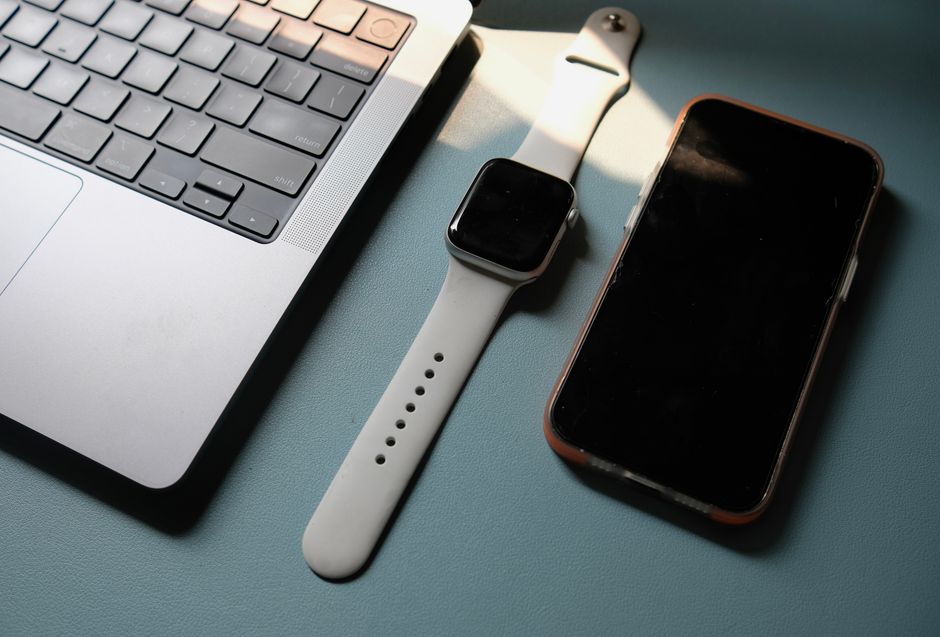
Speaking the Same Language: Bluetooth's Role
At the heart of almost every smartphone-wearable connection is a technology called Bluetooth Low Energy, or BLE. Unlike older, more power-hungry Bluetooth versions, BLE is designed for devices that need to send small packets of data intermittently while conserving battery life, making it perfect for wearables.
When you first set up a new wearable, your phone uses Bluetooth to discover and "pair" with it. This creates a secure, encrypted link between the two devices. Think of it like teaching your phone and wearable to speak the same private language, allowing them to communicate efficiently within a short range, typically up to 30 feet or so.
Your Personal Data Hub: The Companion App
While Bluetooth handles the direct communication, a dedicated companion app on your smartphone is the true brain of the operation. Whether it's Apple Health, Google Fit, Fitbit, Garmin Connect, or a specific brand's app, this software acts as the central interface for your wearable data and settings.
The app receives the raw data from your wearable, processes it, and presents it in an understandable format, like graphs of your sleep patterns or daily step counts. It also allows you to customize your wearable's settings, choose which notifications appear on your wrist, and even update its firmware to add new features or fix bugs.

More Than Just Steps: What Gets Synced?
The data exchange between your phone and wearable goes far beyond simple activity tracking. It's a rich tapestry of personal metrics and interactive commands. This constant back-and-forth ensures your information is up-to-date and your devices are working in harmony.
Here’s a snapshot of common data types that get synced:
- Activity Data: Steps taken, distance covered, calories burned, active minutes.
- Biometric Data: Heart rate, sleep duration and quality, SpO2 levels, skin temperature.
- Location Data: GPS tracks for runs or bike rides (often leveraging your phone's GPS for accuracy).
- Notifications: Alerts for calls, texts, emails, and app updates from your phone appearing on your wrist.
- Device Settings: Alarms, watch faces, and other preferences you set via the app.
This data is typically synced wirelessly and securely, often leveraging your smartphone's internet connection to store insights in the cloud. This allows you to view historical data and access your information from other devices.
From Wrist to Phone: Notifications and Control
One of the most practical benefits of this integrated connection is the seamless flow of notifications. Instead of constantly pulling out your phone, you can glance at your wrist to see who's calling or what message just arrived. This saves time and keeps your phone tucked away when it's not strictly necessary.
Beyond notifications, many wearables offer remote control over your smartphone. You can often control music playback, remotely trigger your phone's camera shutter for group photos, or even quickly dismiss a call without touching your phone. These small conveniences add up, making your tech feel truly integrated into your life.
Keeping Your Connection Secure
With so much personal data being exchanged, security is a major concern. Fortunately, the designers of wearable technology and smartphone operating systems prioritize data protection. The Bluetooth connection itself is encrypted, scrambling your data so it can't be easily intercepted by unauthorized parties.
Furthermore, the companion apps on your phone require specific permissions to access your health data or notifications. You have control over what information is shared and with whom. Keeping both your smartphone and wearable's software updated is crucial, as these updates often include important security patches to protect your privacy.
Oops, No Connection! Troubleshooting Tips
Even the most advanced technology can hit a snag sometimes. If your smartphone isn't connecting with your wearable technology as expected, don't panic. Most issues are minor and easily resolved. A quick check of a few common culprits can usually get things back on track.
Here are some troubleshooting steps:
- Check Bluetooth: Ensure Bluetooth is enabled on both your smartphone and your wearable.
- Restart Both Devices: A simple reboot can often clear temporary glitches on either device.
- Update Apps and Firmware: Make sure your wearable's companion app is up-to-date, and check if there are any pending firmware updates for the wearable itself.
- Re-Pair the Devices: Sometimes, unpairing the wearable from your phone's Bluetooth settings and then pairing it again can resolve stubborn connection problems.
- Check Battery Levels: Both devices need sufficient battery to maintain a stable connection.
The Road Ahead: Evolving Wearable-Smartphone Integration
The symbiotic relationship between smartphones and wearable technology is only getting stronger. As wearables become more powerful and independent, we're seeing features like built-in eSIMs that allow smartwatches to make calls and stream music without a phone nearby. Yet, the smartphone remains the central hub for data management, deep analysis, and customization.
Expect even more seamless integration in the future, with wearables potentially acting as authentication keys, advanced health monitors, and even intuitive control centers for our smart homes. The continuous innovation in how these devices communicate promises an even more connected and convenient digital experience for all of us.