Ios And Apple Watch Integration Explained
Unlocking the Ecosystem: What is iOS and Apple Watch Integration?
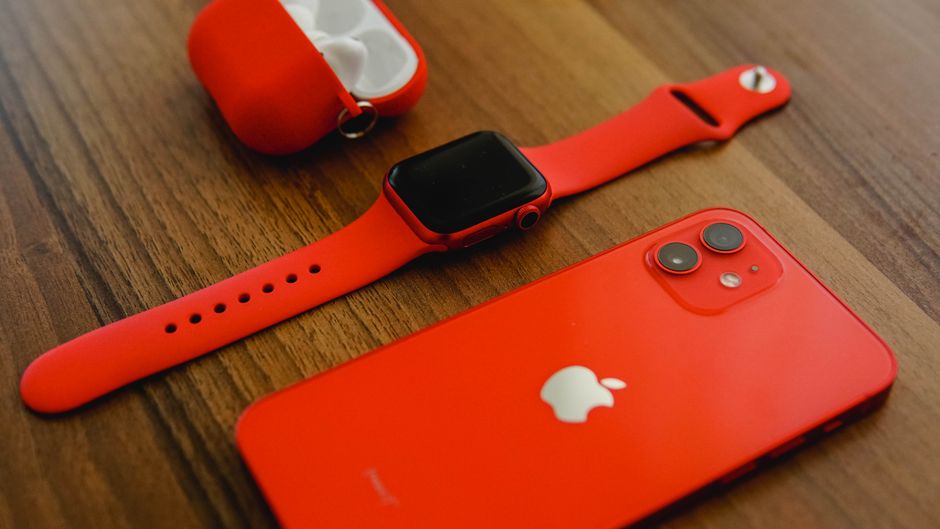
Ever wondered how your iPhone and Apple Watch seem to work together in perfect harmony? That's the magic of iOS and Apple Watch integration, a core pillar of the Apple ecosystem. It's not just about wearing a gadget on your wrist; it's about two powerful devices communicating constantly to enhance your daily life.
This seamless connection means your Apple Watch isn't just a mini-iPhone, but an extension of it, designed to offer quick glances, convenient controls, and essential health monitoring right from your wrist. Everything from your notifications to your fitness data flows effortlessly between your devices, creating a truly unified experience.
The beauty lies in how these devices complement each other, offloading tasks from your iPhone to your Watch for greater convenience and efficiency. Whether you're checking messages discreetly or tracking a workout, the integration ensures you get the right information at the right time, without needing to constantly pull out your phone.

Effortless Setup: Pairing Your Apple Watch with Your iPhone
Getting started with your Apple Watch is surprisingly simple, thanks to its deep integration with iOS. The pairing process is intuitive: just bring your Watch close to your iPhone, and a setup prompt instantly appears.
The dedicated Apple Watch app on your iPhone acts as the control center for your wearable. From here, you can customize watch faces, manage app installations, adjust notification settings, and set up crucial health features.
All your preferences, contacts, and even Wi-Fi settings are automatically transferred, making the initial setup a breeze. This tight Apple Watch connectivity ensures you're up and running in minutes, enjoying a personalized experience right from the start.
Your Personal Health Hub: Deeper Insights with Seamless Integration
One of the most compelling aspects of Apple Watch and iPhone integration is its robust health and fitness tracking capabilities. Your Watch continuously monitors a wealth of data, which is then securely stored and analyzed within the Health app on your iPhone.
This creates a comprehensive overview of your well-being, from activity levels to heart health. The detailed graphs and trends available on your iPhone give you a much clearer picture of your progress and help you make informed decisions about your health goals.
The synergy between the devices allows for incredible features that empower you. Here are some key ways your Watch enhances your health monitoring:
- Activity Rings: Track Move, Exercise, and Stand goals that sync to your iPhone.
- Heart Rate Monitoring: Continuous tracking, high/low alerts, and even ECG capabilities (on supported models).
- Workout Tracking: Detailed metrics for various exercises, all fed directly to your iPhone's Fitness app.
- Sleep Tracking: Understand your sleep patterns and trends over time.
- Blood Oxygen (on supported models): Measure your blood oxygen levels throughout the day and night.
Stay Connected, Discreetly: Notifications & Communication from Your Wrist
Imagine receiving important notifications without having to pull your iPhone out of your pocket or bag. That's precisely what Apple Watch integration offers, mirroring alerts from your phone directly to your wrist with a gentle tap.
You can triage incoming messages, calls, and app alerts at a glance, deciding whether to respond immediately or ignore them until later. Quick replies, dictation, or even a full keyboard (on some models) allow you to respond without touching your iPhone.
This discreet communication ensures you stay connected without constant distractions. You can make and receive calls directly on your Watch, perfect for when your iPhone is out of reach or charging, thanks to its integrated cellular (on GPS + Cellular models) or Bluetooth connection to your phone.
Controlling Your iPhone from Afar: Wrist-Based Commands
The Apple Watch isn't just for receiving information; it's also a powerful remote control for your iPhone. This level of device integration adds significant convenience to many everyday tasks.
Need to skip a song, adjust volume, or even take a photo without holding your phone? Your Apple Watch makes it possible. The Now Playing complication instantly gives you control over any audio playing on your iPhone, from Apple Music to podcasts.
Furthermore, the Camera Remote app on your Watch lets you see a live preview of your iPhone's camera and trigger the shutter. It's incredibly handy for group photos, long exposures, or stable shots where touching your iPhone might cause blur. You can even ping your iPhone from your Watch if you've misplaced it nearby.
Beyond Notifications: Everyday Convenience & Security
The synergy between iOS and Apple Watch extends into various aspects of convenience and security, making your daily routines smoother and more secure. Your Apple Watch can act as a powerful authenticator and a key to unlock other Apple devices.
For instance, with a flick of your wrist, your Apple Watch can automatically unlock your Mac when you're nearby, saving you the hassle of typing a password. It can also unlock your iPhone when Face ID detects you're wearing a mask, a small but significant convenience in today's world.
Then there's Apple Pay: simply double-tap the side button on your Watch to make secure, contactless payments almost anywhere. This makes shopping incredibly swift and secure, leaving your wallet and iPhone safely tucked away. The integration truly simplifies your digital life.
Customizing Your Experience: Apps, Faces, and More
The deep integration doesn't stop at pre-installed features; it also extends to a vast ecosystem of apps and customization options that enhance both devices. The Watch App Store, accessible through your iPhone, offers countless applications designed specifically for your wrist.
Many of these apps are companion versions of your favorite iPhone apps, allowing you to quickly check weather, navigate with maps, or manage smart home devices right from your Watch. This ensures a consistent and powerful experience across your Apple devices.
Personalizing your Apple Watch is also a key part of the experience. With a multitude of watch faces, complications, and band options, you can truly make the device your own. These customizations, managed primarily through your iPhone, ensure your Apple Watch not only functions perfectly with iOS but also reflects your unique style and needs.