How To Balance Smartphone Size Specifications With Hand Comfort And Daily Usability
The Struggle of Finding Perfect Smartphone Size Specifications
I remember sitting on my couch, unboxing a massive 6.8-inch flagship, genuinely excited about the screen real estate for gaming. Within three days, my wrist was aching, and I realized I had completely overlooked how top-heavy the device felt during one-handed navigation. Balancing smartphone size specifications with hand comfort and daily usability is a lesson I learned the hard way, and it’s a trade-off that often gets ignored in favor of big, flashy marketing numbers.
Most of us get sucked into the specs race, looking for the highest resolution or the biggest battery without considering the physical reality of holding that slab of glass for five hours a day. I’ve been using various devices for years, and I’ve realized that screen size is rarely the full story. You need to look beyond the diagonal inch count to understand how a phone will actually fit into your specific daily workflow.
Beyond Diagonal Inches: Measuring True Ergonomics
When you start shopping, stop looking just at the screen diagonal and start checking the physical width and weight. I found that a device with a 6.4-inch screen but a narrower aspect ratio, like 21:9, is significantly easier to grip than a 6.2-inch phone with a wider, boxier frame. It’s all about how well your thumb can reach across the keyboard without you needing to do a balancing act with your pinky finger at the base.
My mistake was buying a phone strictly based on its high-refresh-rate display and ignoring its physical dimensions. I ended up with a device that was impossible to use comfortably while walking, leading to a near-drop on a busy city street. To avoid this, always check the actual width measurement in millimeters on the manufacturer’s spec sheet; anything over 75mm usually starts to feel like a two-handed device for most people.
The Hidden Impact of Weight and Material
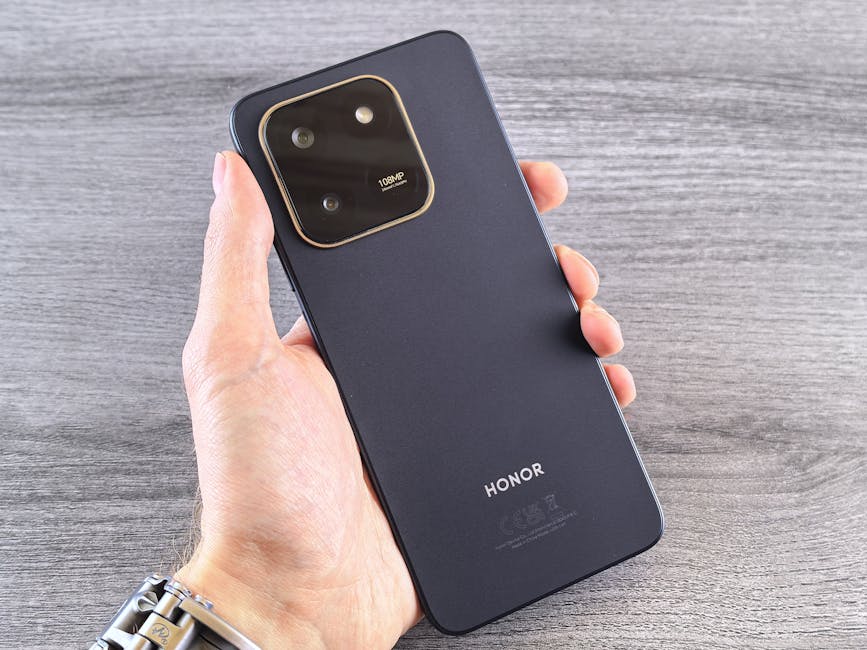
Weight distribution is just as critical as the actual size when considering smartphone size specifications with hand comfort and daily usability. A heavy phone made entirely of stainless steel and glass can feel much more cumbersome than a lighter, slightly larger phone made with aluminum rails or a textured back. During my testing of a premium device that weighed over 230 grams, I noticed significant hand fatigue after only 20 minutes of continuous scrolling.
If you prefer larger phones, look for balanced weight distribution where the center of mass isn't concentrated entirely in the camera module at the top. I’ve found that using a textured or silicone case can significantly improve the grip on slippery glass devices, allowing you to loosen your grip strength and reduce the strain on your hand muscles. It’s a simple fix, but it fundamentally changed how I interact with my daily driver.
Why Aspect Ratio Changes Everything
The aspect ratio is often the most overlooked part of smartphone size specifications, yet it dictates how reachable the top of the UI really is. Modern phones have become increasingly tall to accommodate more content, but this creates a massive reach issue for notifications and settings menus. I’ve spent time using software features like "one-handed mode" to mitigate this, and it’s a total game-changer for daily usability.
When you are setting up a new tall device, don't just jump into the apps; spend five minutes customizing the navigation gestures. Configuring your swipe-down gesture to pull down the notification shade from anywhere on the screen, rather than just the top, is the most practical tip I can offer for users with larger phones. It essentially turns a massive, unusable display into something you can navigate with one hand.

Real-World Testing: The One-Handed Reach Test
I put my own devices to the test by performing the "commuter test" during my daily routine, which involves using the phone solely with one hand while holding a coffee or a bag. During one test, I spent 45 minutes of active usage time on a 6.7-inch display, trying to send emails and manage messages while standing on a bus. The struggle to reach the top-left corner without risking the phone slipping out of my hand proved that specs on paper don't reflect the chaos of real life.
For most users, there is a clear threshold where usability drops off, and it usually aligns with when you have to start using your second hand to support the weight or reach the interface. If you find yourself constantly shifting your grip just to reach the back button, the device is simply too wide for your hand. Here is how I evaluate a phone’s comfort during the initial setup:
- Test the thumb reach: Can you tap the top-left corner of the screen without adjusting your grip?
- Evaluate the weight balance: Does the top of the phone feel significantly heavier than the bottom?
- Assess the width: Does the device feel like it’s stretching your palm when held tightly?
- Check button placement: Are the power and volume buttons easily accessible without shifting your whole hand?
Finding Your Personal Balance
Ultimately, you have to decide what your non-negotiables are: is it the massive screen for media, or is it the compact ease of use for messaging? My own journey involved moving from a massive 6.8-inch screen to a more modest 6.3-inch device, and I haven't looked back once. I sacrificed about 10% of my total viewing area, but I gained 100% more comfort and stopped dropping my phone entirely.
Don't fall for the trap of thinking bigger is always better for productivity. I’ve actually been more efficient on a smaller, narrower screen because I can navigate it faster and with much more confidence. If you’re truly undecided, go into a store and hold the devices you are considering; no amount of online reading can replace the physical sensation of holding the phone in your own palm for a few minutes.

Final Thoughts on Daily Usability
The perfect phone isn't the one with the most impressive numbers on a spec sheet, but the one you forget you're holding. I’ve learned that the most important spec is the one that fits your hand, not the one that looks best on a blog post or a marketing billboard. Take your time to prioritize comfort, because your hands will thank you every single time you pick up your device.
When you prioritize balance over raw size, your daily experience improves drastically. My final recommendation is to always check the width, feel the weight distribution in the store, and never be afraid to opt for the "standard" size over the "ultra" model. Your daily comfort is a feature, and it’s one that no amount of megapixels or gigahertz can replace.