How To Use Audio Visualizers To Enhance Your First-Person Shooter Experience
Leveling Up My FPS Game with Audio Visualizers
I remember sitting in my room, struggling to pinpoint enemy footsteps in intense matches of Valorant. My audio settings were dialed in, but my brain was struggling to translate sound into spatial awareness during high-adrenaline moments. That is when I stumbled upon the idea of using audio visualizers to enhance my first-person shooter experience. By turning chaotic in-game sounds into a secondary visual cue, I found an entirely new way to process tactical information.
At first, I thought it was just a flashy distraction, but after hours of testing, I realized how much visual feedback helped me react faster. It bridges the gap between hearing a sound and consciously acting on it, especially when gunfire or explosions usually drown out quieter cues. Adding a layer of visual information, specifically tuned to game audio, changed my perspective on competitive play.
Why Audio Visualizers Matter for Competitive Gaming
The primary benefit of using these tools in an FPS environment is the reduction of cognitive load. When you are in a high-stakes firefight, your brain is already processing hundreds of variables. An audio visualizer acts as an external processor, highlighting specific frequency bands associated with directional audio or subtle ambient noises like enemy reloads. It essentially gives your eyes a head start before your brain has finished decoding the sound profile.
I have been using Sound Visualizer software to map low-frequency audio to a secondary monitor positioned just below my main display. This allows me to keep my primary focus on the crosshair while peripheral vision picks up bursts of activity. It is not about replacing sound; it is about providing a redundant signal that makes it impossible to ignore important audio cues in the heat of the moment.
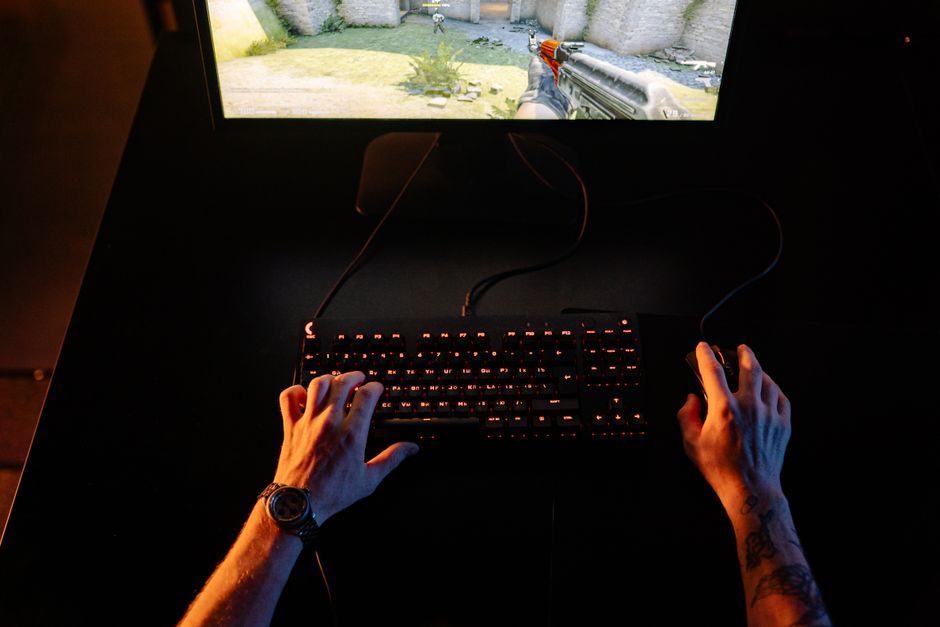
Setting Up Your Visualizer for Maximum Impact
Setting up your system requires more than just launching an application and hoping for the best. You need to route your game audio through a virtual cable to ensure the visualizer captures only the game sound, not your Discord communications or background music. I spent about 3 hours testing different latency settings to make sure the visual output matched the audio input perfectly. If your visual cues are even a few milliseconds behind the actual game sound, they become disorienting rather than helpful.
I recommend using software that allows for granular control over frequency bands. You do not want a visualizer that reacts to everything equally; you want one that isolates the 100Hz to 300Hz range where most enemy movement sounds reside. Configuring this correctly ensures that a random explosion doesn't blind you, but a quiet footstep on wood triggers a distinct, identifiable visual spike.
My Biggest Mistake During the Setup Process
I made a massive mistake when I first experimented with this setup that nearly cost me my rank. I purchased a high-end, colorful LED sound bar that sat under my monitor, thinking it would act as the perfect hardware visualizer. The problem was that it didn't have any software integration for frequency isolation, so it reacted to every single noise, including my own voice and mechanical keyboard clicks. It became a flashing, distracting mess that made it harder to see enemies rather than easier.
Learn from my blunder and skip the flashy hardware lights in favor of software-based solutions that offer data-driven visual representations. You need precision and clarity, not a light show that mimics a disco. Focus on tools that allow you to define what audio frequencies trigger which specific pixels on your screen so you can maintain a clear view of the battlefield.
Fine-Tuning Visual Cues for Different FPS Titles
Different games have different audio profiles, which means your visualizer settings should never be static. In a game like Counter-Strike 2, where footsteps are sharp and distinct, I set my visualizer to a very high sensitivity to capture those quick, transient spikes. However, in games with heavier ambient layers like Call of Duty, I decrease the sensitivity and increase the smoothing factor to avoid being overwhelmed by constant environmental noise.
I have found that mapping specific sound types to different colors makes a huge difference. For instance, I set my software to render enemy footsteps in a sharp, bright green color, while explosive audio is rendered in a soft, dim red. This color-coding allows my brain to instantly distinguish between a threat I need to track and ambient noise I can safely ignore.
Essential Gear and Software Combinations
You don't need a massive budget, but you do need reliable tools that don't consume excessive CPU resources. If your game is already pushing your system to its limits, running a heavy visualizer will cause frame drops that ruin your aim. Stick to lightweight software and ensure your hardware setup is optimized for low-latency audio processing.
- VoiceMeeter Banana: Crucial for routing audio precisely without introducing noticeable lag.
- Virtual Audio Cable: Essential for separating game sound from other system audio streams.
- Wallpaper Engine: Offers many low-impact, audio-reactive themes that can be customized to show frequency spikes.
- High-Quality DAC: Ensures that the signal sent to both your headphones and the visualizer is clean and accurate.

Final Thoughts on the Visual-Audio Advantage
Integrating an audio visualizer into your daily FPS routine is not about turning the game into a rhythm game, but about enhancing your natural senses. It takes some time to get used to the extra movement in your peripheral vision, but once you adjust, it is hard to go back. I’ve noticed a significant improvement in my reaction times because I am no longer relying solely on my ears to detect flanking enemies.
Start with a simple, low-impact configuration and slowly add complexity as you become comfortable. Remember that the goal is to enhance your awareness, not to create a distraction that pulls your eyes away from where it matters. After months of testing this, I am convinced that the right visual feedback loop is one of the most underrated competitive advantages available to modern FPS players.