Android System Updates Explained
Your Android Phone's Lifeline: Understanding System Updates
Ever seen that little notification pop up on your phone, urging you to install a new update? For many, it's either an immediate tap or an annoyance to be delayed. But those prompts are more important than you might realize. To keep your device running smoothly, securely, and with the latest features, it's crucial to understand what's happening under the hood. Let's dive deep into android system updates explained, demystifying why they matter and how they work.
These updates aren't just minor tweaks; they're essential packages of software designed to improve your phone in multiple ways. Ignoring them can leave your device vulnerable or behind on functionality. We'll break down everything you need to know about these critical software upgrades for your Android device.
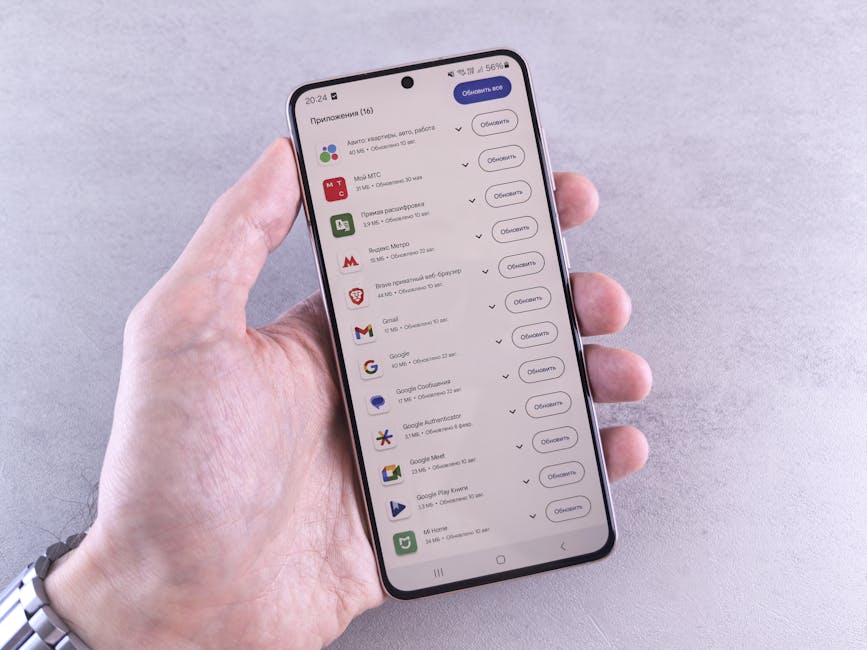
So, What Exactly Are Android System Updates?
Think of your Android phone as a mini-computer. Just like a computer needs its operating system (Windows, macOS) updated regularly, your phone's Android operating system needs the same care. Android system updates are comprehensive packages of software that Google, your phone manufacturer, and sometimes your carrier release.
These updates can range from massive overhauls that introduce entirely new versions of Android to smaller, more frequent patches. They're designed to enhance your device's core functionality, security, and user experience. It’s much more than just updating an app; it’s an update to the very foundation your apps and phone operate on.
Why You Shouldn't Ignore Those Update Notifications
Delaying or skipping system updates might seem harmless, but it can have significant drawbacks for your phone and your data. These updates are developed for several key reasons, each vital for a healthy digital experience.
From patching critical vulnerabilities to bringing exciting new capabilities, keeping your device current is a best practice. Here are the primary reasons why those update notifications deserve your attention:
- Boosted Security: This is arguably the most critical reason. Updates frequently include security patches that fix newly discovered vulnerabilities hackers could exploit. Without these, your personal data and privacy could be at risk.
- New Features & Improvements: Major Android updates often introduce exciting new features, interface redesigns, and enhancements to existing functionalities. You could be missing out on better battery life, improved camera performance, or cool new ways to interact with your phone.
- Bug Fixes & Stability: No software is perfect, and bugs can crop up. System updates often address these issues, resolving glitches, crashes, and performance slowdowns that might be plaguing your device. This leads to a smoother, more reliable user experience.
- Enhanced Compatibility: Newer apps and services are often designed to run best on the latest versions of Android. Staying updated ensures your phone remains compatible with the newest software, allowing you to use all your favorite apps without issues.

The Different Kinds of Android Updates
Not all Android updates are created equal. They typically fall into a few distinct categories, each serving a different purpose and varying in size and frequency. Understanding these types helps you know what to expect when that notification appears.
The main types include full operating system upgrades, critical security patches, and smaller bug-fix releases. Knowing the difference can help you prioritize when and how you install them.
First, there are Major Android Version Updates, like upgrading from Android 13 to Android 14. These are released annually by Google and bring significant changes, including major UI redesigns, entirely new features, and core system improvements. Then, we have Security Patches. These are smaller, more frequent updates (often monthly) specifically designed to fix vulnerabilities found in the Android system. Lastly, there are Minor Updates or Bug Fixes, which address specific, smaller issues or introduce performance optimizations without changing the core Android version number.
How Do Android Updates Reach Your Phone?
The journey of an Android update from Google's development labs to your pocket is a surprisingly complex process involving several key players. It's not as simple as Google pushing a button and everyone instantly getting the new software.
This multi-stage journey explains why some devices get updates faster than others. Each step adds a layer of testing and customization, ensuring the update works perfectly with specific hardware and carrier networks.
It starts with Google releasing the base Android source code. Then, chip manufacturers (like Qualcomm or MediaTek) adapt this code for their processors. Next, your phone manufacturer (Samsung, Google Pixel, OnePlus, etc.) takes that adapted code and customizes it for their specific device hardware, adding their own unique features and interface elements. Finally, if your phone is carrier-locked, the mobile carrier gets involved to test the update on their network, adding any specific network features, before finally pushing it out to your device.
Navigating the Update Journey: Tips for a Smooth Experience
While the process of getting an update to your phone can be complex, installing it on your device doesn't have to be. Following a few simple guidelines can ensure a smooth and hassle-free update experience, protecting your data and device.
Being prepared is key, especially for larger operating system upgrades. A little foresight can prevent potential headaches and ensure your phone is ready for its new software.
Always back up your phone's data before a major system update; while rare, issues can occur. Ensure your phone is connected to a stable Wi-Fi network to avoid data charges and ensure a complete download. It's also wise to have at least 50% battery life, or even better, connect your device to its charger during the installation process. If the update is large, consider installing it overnight when you're not actively using your phone.
Looking Ahead: The Evolution of Android Updates
Google is continually working to make the Android update process faster, more reliable, and more accessible to all users. They understand that the fragmentation of updates has been a long-standing challenge for the Android ecosystem.
Initiatives like Project Mainline are already changing the landscape of how critical updates are delivered. These efforts aim to streamline the process, getting vital patches and improvements to users more directly and quickly.
Project Mainline, officially known as Google Play System Updates, allows Google to deliver crucial security and privacy-related fixes directly through the Google Play Store, bypassing lengthy OEM and carrier testing for specific components. This means core parts of Android can be updated like individual apps, without requiring a full system software update. These innovations are paving the way for a future where all Android users can benefit from more timely and consistent software improvements, making the understanding of android system updates explained even more crucial.