Why Android Updates Are Important
The Silent Heroes of Your Smartphone: Why Android Updates Are Important
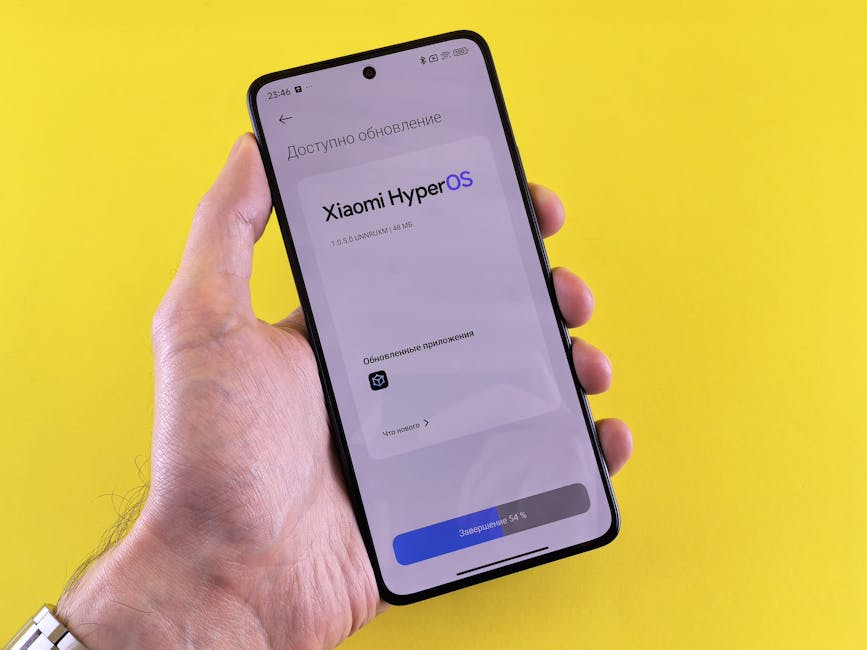
Ever get that little notification on your phone about a system update, only to dismiss it or put it off for later? It's a common habit, but understanding why Android updates are important could change your approach entirely. These seemingly minor software downloads are far more crucial than you might think, playing a vital role in the security, performance, and overall experience of your device.
Ignoring these regular prompts means missing out on significant improvements that keep your phone running smoothly and safely. From fending off cyber threats to introducing exciting new features, consistent software updates are the backbone of a reliable and modern smartphone experience. Let's dive into the essential reasons why you should always make time for those pending updates.
Fortifying Your Digital Shield: Crucial Security Enhancements
In our increasingly connected world, digital security is paramount. Your Android phone holds a treasure trove of personal information, from banking apps to private messages, making it a prime target for malicious actors. Software updates are your first line of defense against these evolving threats.
Each update often includes critical security patches that fix vulnerabilities discovered in the operating system. These vulnerabilities could otherwise be exploited by hackers to gain unauthorized access to your data, install malware, or even take control of your device. Staying updated means you’re running the most secure version of Android available, significantly reducing your risk.
Think of it like patching holes in a fortress wall; without regular maintenance, even the strongest defenses can be breached. Android updates continually reinforce those walls, ensuring your personal information remains private and protected from the latest cyber threats.
Keep Things Snappy: Boosting Performance and Speed
Is your phone feeling a bit sluggish lately? Apps crashing more often, or animations stuttering? Procrastinating on those Android updates might be part of the problem. Over time, even well-optimized software can accumulate inefficiencies, especially as new apps and features are introduced.
Developers constantly work to refine the Android operating system, and these improvements are bundled into updates. These enhancements can include more efficient memory management, optimized CPU usage, and smoother graphics rendering. The result is a device that feels faster, more responsive, and more pleasant to use, even if it's not the latest model.
Applying these system updates can breathe new life into your device, making everyday tasks like opening apps, switching between them, or browsing the web feel much smoother. It's like a tune-up for your smartphone, ensuring all components are working together at peak efficiency.

Unlock a World of New Features and Capabilities
While security and performance are vital, new features are often the most exciting part of an Android update for many users. Major version upgrades, like moving from Android 13 to Android 14, introduce significant new functionalities that can completely change how you interact with your phone.
These features range from enhanced privacy controls and more intuitive user interfaces to improved camera capabilities and innovative accessibility options. Keeping your device updated ensures you're not missing out on these advancements, allowing you to get the most out of your smartphone's potential.
Sometimes, even smaller monthly updates bring subtle but useful improvements, such as new emoji, refined notification management, or better integration with other devices. Staying current means your phone remains modern and capable of supporting the latest technological innovations.
Squashing Annoying Bugs and Enhancing Stability
No software is perfect, and the complex nature of an operating system like Android means bugs are an inevitable part of the development process. These glitches can manifest in various ways, from minor UI annoyances to app crashes that disrupt your workflow.
Android updates frequently include bug fixes specifically designed to address these known issues. Developers actively monitor user feedback and internal testing to identify and patch problems, making your phone more reliable and less prone to unexpected behavior. A stable system is a happy system.
By installing these updates, you're ensuring that the software on your device is as polished and dependable as possible. This leads to a smoother, less frustrating user experience, allowing you to focus on your tasks without constant interruptions from software malfunctions.
Extending Your Battery Life Through Optimization
Battery life is a constant concern for smartphone users, and it's another area where regular Android updates can make a significant difference. Newer versions of the operating system often come with advanced power management techniques that help your device conserve energy more efficiently.
These optimizations can include smarter handling of background app activity, refined processor throttling, and better control over network connections. All these small improvements add up, leading to noticeable gains in how long your phone can last on a single charge.
So, if you find your phone struggling to make it through the day, the solution might be as simple as installing a pending software update. It's a free way to potentially extend your device's endurance and reduce your dependence on a charger.
Maintaining Seamless App Compatibility
The Android ecosystem relies on a delicate balance between the operating system and the thousands of apps available in the Google Play Store. As apps evolve, they often leverage new features and APIs introduced in more recent versions of Android.
If your device is running an outdated version of the OS, you might encounter compatibility issues. Some apps may not install, others might refuse to launch, and some could lack critical functionalities or experience frequent crashes. Keeping your system updated ensures your favorite applications continue to work as intended.
Furthermore, app developers often cease supporting older Android versions over time, meaning you could eventually be left without critical updates or even access to certain apps if you don't keep your phone's operating system current. It's about keeping your entire digital life in sync.
Don't Miss Out: How to Check and Stay Updated
Given all these compelling reasons, it's clear why Android updates are important. Making sure your phone is always running the latest software is a simple yet powerful way to enhance its security, performance, and overall utility. Most modern Android devices offer easy ways to check for and install updates.
Don't wait for issues to arise; be proactive. Enabling automatic updates whenever possible is the best way to ensure you're always protected and experiencing the best your smartphone has to offer. Make it a habit to check for new software regularly.
- Open your phone's Settings app.
- Scroll down and tap on System (or "About phone" on some devices).
- Tap System update (or "Software update").
- Follow the on-screen instructions to check for and install any available updates.