Android User Interface Explained
Unlocking Your Android: A Deep Dive into the User Interface
Ever wondered what makes your Android phone so intuitive and enjoyable to use? It's all thanks to its carefully crafted android user interface, or UI for short. This isn't just about pretty colors and fancy animations; it's the entire system of visual elements, interactive components, and underlying behaviors that allow you to engage with your device.
From the moment you unlock your screen to opening an app or typing a message, every interaction is guided by the Android UI. Understanding its components can help you appreciate the design decisions and even personalize your experience further. Let's pull back the curtain and explore what truly defines the Android user interface.

What Exactly is the Android User Interface?
At its core, the Android UI is the bridge between you and your smartphone's complex technology. It encompasses everything you see and touch on your screen, including buttons, icons, menus, text fields, and even the way elements animate or respond to your input. This visual and interactive layer ensures that using your device feels natural and straightforward.
Think of it as the control panel and display for your phone's operating system. It translates your taps and swipes into commands the phone understands, and in turn, presents information and options back to you in an easily digestible format. A well-designed Android user interface prioritizes clarity, efficiency, and a pleasant user experience.
The Heart of Android's Design: Material You and Its Principles
Android's current design philosophy is largely driven by "Material You," an evolution of the earlier Material Design. This approach focuses on adaptability, personal expression, and dynamic theming. Material You ensures that the UI can seamlessly adjust to different screen sizes and device types while maintaining a consistent and intuitive feel.
A standout feature of Material You is its ability to personalize your phone's aesthetic using your wallpaper's colors. This "dynamic color" system automatically generates a palette that extends throughout your system UI and compatible apps, creating a cohesive and uniquely personal look. It's all about making your device truly feel like an extension of you.
Beyond colors, Material You emphasizes fluid animations, responsive layouts, and accessible design principles. It aims to create an inviting and engaging user experience that is both functional and aesthetically pleasing. This thoughtful design language forms the backbone of the modern Android UI.
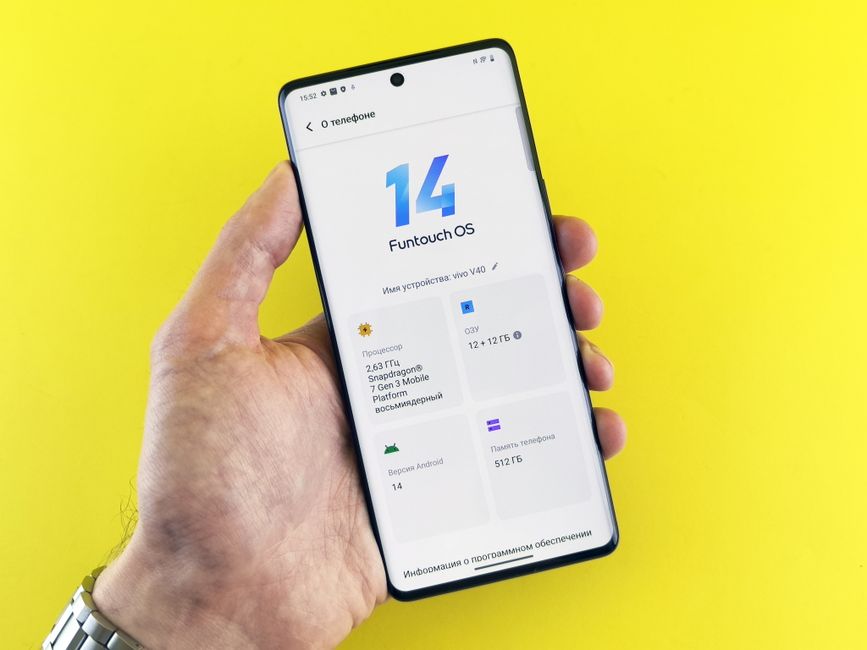
Navigating Android: Essential UI Elements and Gestures
Navigating an Android device is typically intuitive, thanks to a consistent set of UI elements and interaction patterns. Whether you're swiping through home screens or jumping between apps, the core navigation remains familiar. These elements are designed to make finding what you need quick and easy.
Here are some key navigation components you'll encounter:
- Home Screen: Your central hub, featuring app icons, widgets, and quick access to frequently used features.
- Notification Shade/Quick Settings: A swipe down from the top reveals alerts and essential toggles like Wi-Fi, Bluetooth, and screen brightness.
- App Drawer: Typically accessed by swiping up from the home screen, this lists all your installed applications.
- Navigation Bar/Gestures: Buttons (Back, Home, Recents) or intuitive swipes at the bottom of the screen control basic system navigation.
Modern Android UIs heavily rely on gestures for a more immersive, full-screen experience. Swiping from the edge to go back, swiping up to go home, or swiping up and holding for recent apps are now common. This fluid interaction style enhances the overall user experience.
Personalizing Your Pixel or Galaxy: The Power of Android Customization
One of Android's most celebrated strengths is its unparalleled level of customization, directly impacting your Android UI. Unlike some other mobile operating systems, Android gives users significant control over how their device looks and feels. This flexibility allows you to tailor your phone to perfectly match your preferences and workflow.
You can dramatically alter your phone's appearance through various customization options. This includes changing wallpapers, applying different icon packs, and adding interactive widgets to your home screen. Widgets provide glanceable information and quick actions directly on your home screen, enhancing productivity and convenience.
For even deeper changes, you can explore third-party launchers which completely overhaul the look and feel of your home screen and app drawer. This level of personalization means no two Android phones have to look or behave exactly alike, making your device truly unique to you.
Behind the Scenes: How Your Android UI Comes to Life
While you interact with the polished surface of the Android UI, there's a lot happening underneath to make it all work seamlessly. The operating system handles drawing every pixel on your screen, managing touch input, and coordinating thousands of processes to display information correctly. This intricate dance ensures responsiveness and stability.
Each app you use also contributes its own specific UI elements, built using Android's development frameworks. These app-specific UIs adhere to the broader Android design guidelines, ensuring a consistent experience even across different applications. When you switch between apps, the system UI smoothly transitions, maintaining a cohesive flow.
This layered architecture, from the core system components to individual app designs, is what creates the dynamic and adaptable Android user interface we know today. It's a testament to the engineering effort focused on delivering a powerful yet user-friendly mobile experience.
The Evolution of Android UI: From Froyo to Fluidity
The Android user interface hasn't always looked the way it does today; it has undergone significant transformations over the years. Early versions of Android featured simpler, more utilitarian designs, often characterized by darker themes and less visual flair. Each major Android release has brought iterative improvements and sometimes dramatic overhauls.
Key milestones like the introduction of Holo design, then Material Design, and now Material You, have consistently aimed to make the UI more intuitive, visually appealing, and consistent. These shifts reflect evolving user expectations and technological advancements in screen quality and processing power. The focus has always been on enhancing the user experience.
This continuous evolution demonstrates Android's commitment to refinement and innovation. From clunky buttons to elegant gestures, and from static themes to dynamic personalization, the Android UI has matured into a sophisticated and highly adaptable system, always striving to put the user first.
Maximizing Your Android User Experience: Tips and Tricks
To truly get the most out of your Android user interface, consider exploring some simple adjustments. Regularly customizing your home screen with relevant widgets and a wallpaper that inspires you can significantly enhance your daily interactions. Don't be afraid to experiment with different icon packs or even a new launcher to find a look that suits you.
Dive into your phone's settings to discover hidden UI features or accessibility options that can make your device even easier to use. Adjusting font sizes, display scaling, or even enabling specific gestures can tailor the Android UI to your exact needs. Keeping your apps and system software updated also ensures you benefit from the latest UI improvements and security patches.
Ultimately, the beauty of the Android UI lies in its flexibility. Take the time to make it your own, and you'll find your smartphone becomes not just a tool, but a truly personalized extension of your digital life.