How Android Customization Works
Unleash Your Inner Tech Artist: How Android Customization Works
Ever gazed at your phone and wished it felt more like you? You're in luck! One of Android's biggest superpowers is its incredible flexibility, allowing for deep Android customization. Unlike its more restrictive counterparts, Android gives you the tools to truly make your device your own, from subtle tweaks to a complete visual overhaul. It's not just about aesthetics; it's about tailoring your device to perfectly fit your workflow and personality.
From the layout of your home screen to the very icons you tap, almost every element of your Android experience can be personalized. This isn't just for tech gurus; anyone can dive in and start making their phone feel unique. We're about to explore the exciting world of making Android truly yours, breaking down exactly how these fantastic transformations happen.
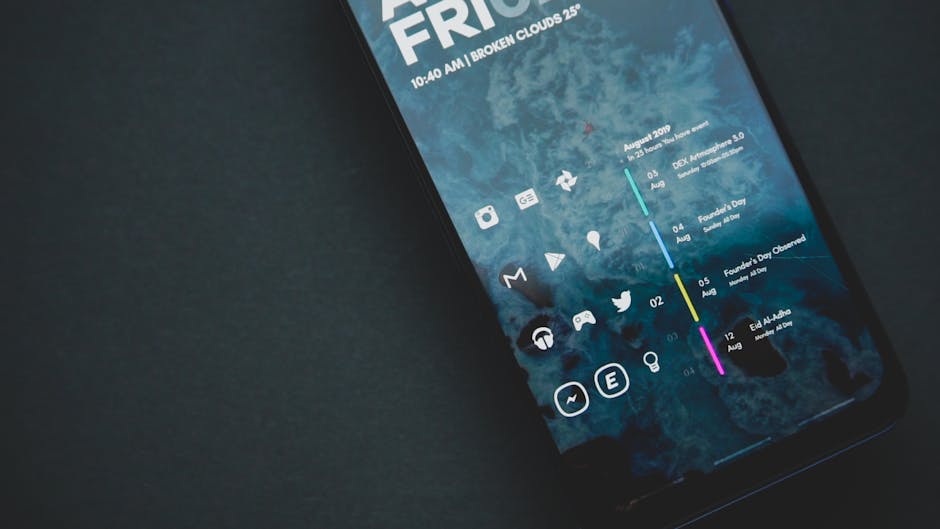
The Heart of the Home Screen: Launcher Apps
The first and often most impactful step in customizing your Android device involves changing your launcher. Think of your launcher as the operating system's graphical shell – it dictates your home screen layout, app drawer, and even how you interact with your device through gestures.
Switching to a third-party launcher instantly opens up a world of possibilities that your phone's default setup might not offer. These apps allow you to change grid sizes, add custom gestures, hide apps, and much more, providing a completely fresh user experience. Popular options like Nova Launcher, Lawnchair, or Action Launcher are fantastic starting points for anyone looking to personalize their device.
- Change home screen grid size and icon placement.
- Customize app drawer appearance and organization.
- Assign custom gestures for quick actions (e.g., swipe down for notifications).
- Integrate with icon packs and custom widgets seamlessly.
- Hide apps from the app drawer for a cleaner look or privacy.
Widgets and Live Wallpapers: Dynamic Decor
Beyond the static background, Android offers dynamic elements that bring your screen to life. Widgets are small, interactive app displays that live right on your home screen, providing information at a glance or quick access to app functions without needing to open the full application.
Imagine seeing your calendar appointments, weather forecast, or music controls without leaving your home screen – that's the power of widgets. Similarly, live wallpapers add movement and interactivity to your background. They can range from subtle animations to complex visualizers that react to touch or device activity, making your phone feel more alive and engaging.

Aesthetic Overhaul: Icon Packs and Themes
If you're looking to transform the visual identity of your device, icon packs and themes are your best friends. An icon pack replaces your default app icons with a new set, instantly giving your entire app drawer and home screen a cohesive and stylish new look.
Many launchers support icon packs directly, making the process straightforward. Themes, on the other hand, often go a step further, changing not just icons but also fonts, system colors, and even notification panel elements for a complete aesthetic overhaul. While some phones have built-in theme stores, third-party apps and launchers can often expand these options significantly, allowing for incredible artistic expression.
Diving Deeper: System Settings and Developer Options
Not all customization requires third-party apps; Android's built-in settings offer a surprising amount of personalization. You can fine-tune notification behaviors, adjust display settings like font size and dark mode, and even reorganize your quick settings panel for easier access to frequently used toggles.
For those feeling a bit more adventurous, Android's "Developer Options" menu unlocks a hidden trove of system-level tweaks. Here, you can change animation speeds to make your phone feel snappier, force dark mode on unsupported apps, or adjust USB debugging settings. While some options are highly technical, others offer simple yet effective ways to tailor your phone's performance and appearance.
Advanced Customization: Rooting and Custom ROMs
For the ultimate level of control, some Android users venture into rooting and installing custom ROMs. Rooting essentially gives you superuser access to your phone's operating system, allowing you to modify system files, remove bloatware, and install powerful customization tools that wouldn't otherwise be possible.
Custom ROMs, such as LineageOS or Pixel Experience, are entirely new versions of Android developed by the community. They can offer features not found in stock Android, provide a purer Android experience, or even bring newer Android versions to older devices. However, it's crucial to note that rooting and installing custom ROMs carry risks, including voiding warranties and potentially bricking your device if not done carefully.
Why Personalize? The Benefits of Customization
So, why go through all the effort of personalizing your device? The reasons are as diverse as the users themselves. First and foremost, Android customization allows for unparalleled personal expression. Your phone becomes an extension of your identity, reflecting your tastes and preferences.
Beyond aesthetics, a customized Android can significantly improve your workflow and productivity. By optimizing your home screen with essential widgets, streamlining your app drawer, and setting up efficient gestures, you can access information and perform tasks faster. It transforms a generic device into a powerful, tailored tool that truly works for you, making every interaction more enjoyable and efficient.
Embarking on Your Customization Journey
Ready to make your Android truly shine? Starting your customization journey is easier than you think. Begin with simple changes, like exploring different launcher apps or adding a few useful widgets to your home screen. You'll quickly discover what you like and what makes your phone feel more intuitive.
Experiment with icon packs, tweak your system settings, and don't be afraid to try out new things. The beauty of Android is that most changes are reversible, so you can always go back to what you had before. Dive in, explore the vast possibilities, and enjoy the process of crafting an Android experience that's uniquely yours.