How Smartphone System Software Manages Device Functions
The Brain Behind the Screen: What is Smartphone System Software?
Ever wonder how your smartphone effortlessly handles calls, launches apps, takes photos, and connects to the internet, often all at once? The unsung hero behind this seamless operation is the smartphone system software. Think of it as the central nervous system and brain of your device, meticulously coordinating every function and interaction.
This crucial software isn't just a single program; it's a complex suite of components, primarily comprising the operating system (OS) like Android or iOS. It provides the foundational layer upon which everything else on your phone runs, from the simplest calculator app to the most demanding mobile game.
Without this sophisticated system, your phone would merely be a collection of inert hardware components. It's the software that breathes life into the device, transforming circuits and screens into a powerful, interactive tool that has become indispensable in our daily lives.
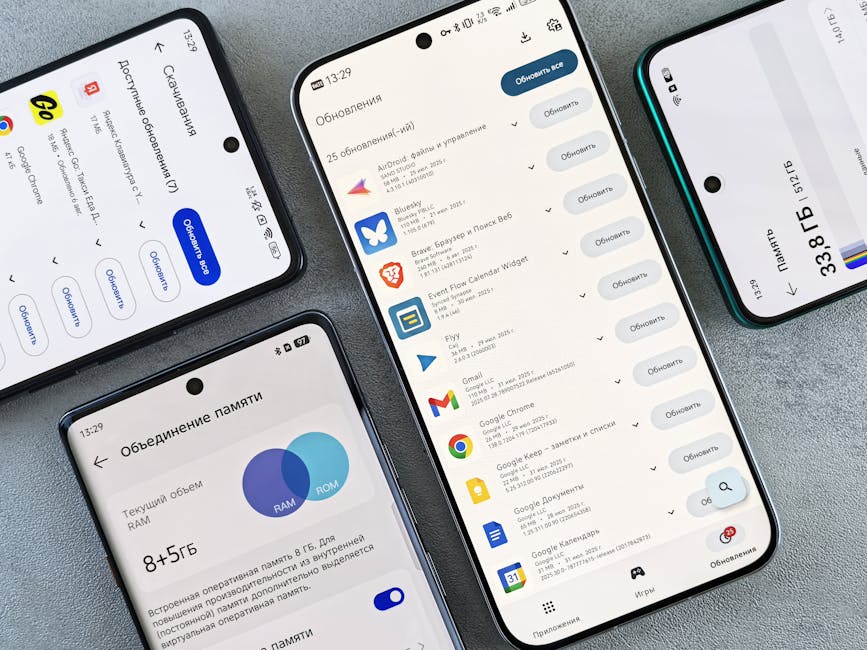
Orchestrating Your Device: The Operating System's Core Role
At its heart, your mobile OS is an orchestra conductor, ensuring every piece of hardware and software plays its part in harmony. It manages the fundamental resources, deciding how the processor, memory, and storage are allocated to various tasks. This intricate management is what prevents your phone from crashing when you try to do too many things at once.
The operating system also provides the user interface you interact with daily – the icons, menus, and gestures. It translates your touch commands into actions, whether you’re opening an app, adjusting settings, or swiping through photos. This seamless interaction is a testament to the OS's design and efficiency.
Furthermore, the OS acts as a gatekeeper, setting rules for how applications can access sensitive features like your camera, microphone, or location. This strict oversight is fundamental for maintaining your privacy and device security, ensuring that apps behave as expected.
Translating Taps and Swipes: How Software Commands Hardware
When you tap an icon or type a message, it might seem instantaneous, but there's a fascinating process happening behind the scenes. The smartphone system software takes your input and translates it into specific instructions that the phone's hardware components can understand. This bridge between your intentions and the device's actions is incredibly sophisticated.
For example, when you open the camera app, the OS doesn't just launch the software; it activates the camera sensor, prepares the image signal processor, and readies the display to show the live feed. Similarly, when you make a call, the software engages the cellular modem, manages audio input/output, and connects to the network.
This continuous translation ensures that the various hardware parts – from the display and touch screen to the processor, GPS, and sensors – work together cohesively. It's the OS making sure all these different parts understand each other's language and execute tasks flawlessly.

Juggling Apps: Resource Allocation and Performance
Your smartphone is a multitasking marvel, often running several apps simultaneously, even if some are in the background. It's the system software's job to manage these competing demands for your phone's limited resources – specifically the CPU (central processing unit), RAM (random access memory), and battery power.
The OS intelligently allocates processing power and memory to active applications, prioritizing what you're currently using while still allowing background apps to function efficiently without draining resources unnecessarily. This dynamic management is crucial for maintaining smooth performance and preventing slowdowns.
When an app misbehaves or consumes too much power, the mobile OS can intervene, either by warning you, shutting down the rogue app, or restricting its background activities. This proactive approach helps extend your battery life and keeps your device responsive throughout the day.
Your Digital Shield: Security, Permissions, and Privacy
In an age where our phones hold so much personal information, the security features of the smartphone's core software are paramount. The system software acts as your device's primary guardian, implementing robust security protocols to protect your data from unauthorized access and malicious threats.
This includes encryption of your data, secure boot processes, and sandbox environments for apps, which isolate them from each other to prevent cross-contamination or unauthorized access to sensitive information. Each app is confined to its own space, significantly reducing security risks.
Crucially, the OS also manages app permissions. When you install a new application, it asks for specific permissions – access to your camera, contacts, or location. The system software ensures that you, the user, have the final say over what information each app can access, empowering you to control your privacy settings.
Evolving Intelligence: Why Software Updates Matter
The journey of your smartphone's system software doesn't end when you buy the device; it continuously evolves through updates. These updates aren't just about adding fancy new features; they are vital for maintaining the phone's security, stability, and performance over its lifespan.
Software updates often include critical security patches that fix vulnerabilities discovered by developers, protecting your device from new and emerging threats. They can also bring performance enhancements, optimizing how the OS uses hardware resources, leading to a faster and smoother user experience.
Beyond security and performance, updates introduce new functionalities, improve existing features, and ensure compatibility with the latest applications and hardware. Regularly updating your phone's operating system is one of the best ways to keep it running optimally and securely.
More Than Just Apps: Built-in Features and Customization
While third-party apps expand your phone's capabilities, the smartphone system software itself offers a wealth of built-in features that enhance usability and personalization. These aren't just basic tools; they often include sophisticated functionalities designed to integrate seamlessly with your device's hardware.
The mobile OS provides extensive customization options, allowing you to tailor your phone's appearance and behavior to your preferences. This personal touch is facilitated by the core software, ensuring that your device truly reflects your style and needs. For example, you can often customize:
- Home Screen Layouts: Arrange apps, widgets, and folders exactly how you like them.
- Notification Settings: Fine-tune how and when you receive alerts for different applications.
- Accessibility Options: Adjust display size, text contrast, voice commands, and more for diverse user needs.
- System Themes: Switch between light and dark modes, or apply custom visual styles to your entire interface.
These integrated features and customization capabilities are designed to provide a cohesive and user-friendly experience right out of the box. They demonstrate how deeply the phone's core software is intertwined with every aspect of your interaction, making your device truly personal and efficient.