Why Android Is Known For Customization
Why Android is Known for Customization: A Deep Dive into Personalization Power
From the moment you power on an Android device, a fundamental truth quickly becomes apparent: this isn't just a smartphone; it's a canvas for your digital life. One of the first things that comes to mind when discussing Android is its unparalleled ability to be personalized – why Android is known for customization isn't just a marketing slogan; it's a fundamental aspect of its design, offering users an extraordinary degree of control over their mobile experience.
Unlike other operating systems that often present a more rigid, "take it or leave it" interface, Android embraces individual expression. This philosophy dates back to its origins and continues to be a cornerstone of its appeal. Whether you're a casual user wanting a new wallpaper or a tech enthusiast looking to overhaul your entire system, Android provides the tools.
The Open-Source Foundation
At the heart of Android's customizable nature lies its open-source foundation. Built upon the Linux kernel, the Android Open Source Project (AOSP) makes its source code freely available to developers and manufacturers worldwide. This transparency means anyone can inspect, modify, and distribute the software, fostering an environment of innovation and flexibility.
This open approach grants immense freedom to phone manufacturers, allowing them to create their unique "skins" or user interfaces, such as Samsung's One UI or Google's Pixel UI. More importantly, it empowers third-party developers to build a vast ecosystem of customization tools, ranging from simple aesthetic tweaks to profound system-level changes that redefine how a device looks and behaves.
Your Launcher, Your Rules
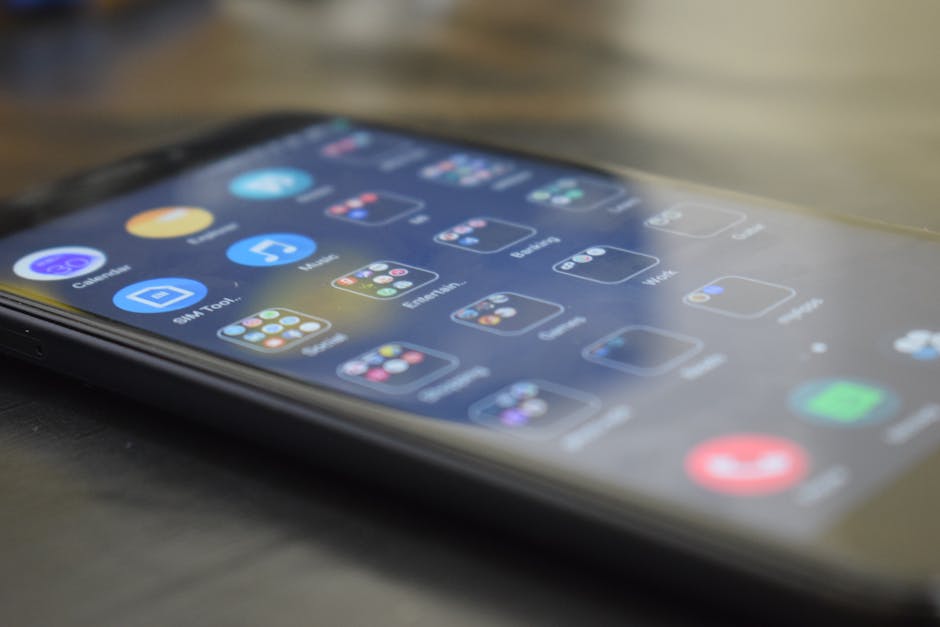
Perhaps the most accessible and impactful way Android users personalize their devices is through custom launchers. The launcher is the app that manages your home screen, app drawer, and gestures, essentially defining your phone's primary user interface. Swapping out your default launcher for a third-party option can dramatically transform your phone's look and feel without requiring any complex technical knowledge.
These powerful apps offer a staggering array of options, letting you adjust almost every visual element. You can change icon shapes and sizes, customize grid layouts, add unique animations, and even completely rethink how you access your apps. It's a quick and effective way to make your phone truly yours, reflecting your style and optimizing for your workflow.
- Icon Packs: Apply entirely new sets of icons for all your apps.
- Grid Customization: Change the number of rows and columns on your home screen.
- Gesture Controls: Assign custom actions to swipes, pinches, and taps.
- Dock Bar Modifications: Alter the number of apps, transparency, and background of your dock.
- App Drawer Styles: Choose between vertical, horizontal, or even categorized app lists.
Widgets: Information at a Glance
Another beloved customization feature on Android is the extensive support for widgets. Unlike static app icons, widgets are small, interactive application components that can be placed directly on your home screen. They provide real-time information or quick access to app functions without needing to open the full application.
From weather forecasts and calendar events to music controls and news feeds, widgets keep essential information front and center. Their size and placement are fully adjustable, allowing you to create a personalized dashboard tailored to your daily needs. This blend of aesthetics and functionality is a hallmark of Android's user-centric design.
Diving Deeper: Custom ROMs and Rooting
For those who desire even more profound control, Android offers the possibility of installing custom ROMs and rooting the device. A custom ROM is essentially an alternative version of the Android operating system, often developed by independent communities, that can be flashed onto your phone. These ROMs can offer newer Android versions, exclusive features, improved performance, or a debloated experience free from manufacturer-installed software.
Rooting, on the other hand, grants users "superuser" permissions, unlocking access to the deepest parts of the operating system. While these advanced modifications come with inherent risks, such as potentially voiding warranties or bricking a device if done incorrectly, they also open up a world of possibilities for profound system-level tweaks, performance enhancements, and greater control over privacy and security settings. This level of system access truly highlights why Android is known for customization.
Beyond Aesthetics: Functionality Tweaks
Android's customization capabilities extend far beyond just how your device looks; they also encompass how it functions. The "Developer Options" menu, hidden by default, provides a treasure trove of advanced settings for fine-tuning performance, animation speeds, and USB debugging. These options empower users to optimize their device's behavior in ways not typically available on other platforms.
Furthermore, apps like Tasker allow for incredibly sophisticated automation. You can set up your phone to perform specific actions based on time, location, Wi-Fi network, or dozens of other triggers. Imagine your phone automatically silencing itself when you arrive at work, turning on Wi-Fi when you get home, or sending a text when your battery is low – all without a single tap from you.
Apps, Apps, and More Apps
The sheer volume and variety of apps available on the Google Play Store significantly contribute to Android's customization prowess. Developers are encouraged to create apps that interact with and modify various aspects of the system, fostering a vibrant ecosystem of personalization tools. From live wallpapers and dynamic themes to advanced keyboard apps and comprehensive system monitors, there's an app for almost every customization desire.
This extensive app library means users aren't limited to a single approach for personalizing their device. They can mix and match tools from different developers, creating a truly unique setup that caters precisely to their individual preferences. The flexibility provided by this rich app environment is a key reason why Android is known for customization.
The Developer-Friendly Ecosystem
The open and flexible nature of Android has cultivated a thriving developer community. The availability of robust SDKs (Software Development Kits) and clear documentation makes it easier for independent developers to create innovative customization solutions. This ease of entry for developers translates directly into a broader range of options for users.
This symbiotic relationship between the open-source platform, supportive developer tools, and an eager user base continuously pushes the boundaries of what's possible on a smartphone. It ensures that Android remains at the forefront of mobile personalization, constantly evolving with new ways for users to make their devices uniquely their own. This ongoing innovation cements Android's reputation as the ultimate platform for mobile customization.