How Smartphone Software Handles Updates
Keeping Your Phone Fresh: How Smartphone Software Handles Updates
Our smartphones are more than just communication devices; they're pocket-sized supercomputers constantly evolving. A huge part of this evolution comes from software updates, yet many of us don't really think about how smartphone software handles updates. It's a complex, behind-the-scenes dance that keeps our devices secure, functional, and packed with the latest features. Understanding this process can demystify those "Software Update Available" notifications and highlight their importance.
From the operating system itself to the individual apps we use daily, regular software updates are crucial. They're not just about flashy new emojis or interface tweaks; often, they're critical for the smooth operation and security of your device. Let's peel back the layers and explore the journey these updates take before they land on your screen.

Why Updates Aren't Just Optional Extras
You might sometimes put off updating your phone, thinking it's just a minor tweak, but updates serve several vital purposes. They keep your device protected from emerging threats and enhance its overall usability. Ignoring these prompts can leave your phone vulnerable and prevent you from enjoying the best experience.
Here are some key reasons why software updates are so important:
- Security Patches: Developers constantly identify and fix vulnerabilities that hackers could exploit. These patches are often the most critical type of update.
- New Features and Improvements: Updates bring exciting new functionalities, UI enhancements, and quality-of-life changes that can make your phone feel brand new.
- Performance Optimizations: Over time, updates can make your phone run faster, smoother, and even extend battery life by improving how the software interacts with the hardware.
- Bug Fixes: No software is perfect. Updates frequently address glitches, crashes, and other annoying bugs reported by users or discovered internally.
- Compatibility: They ensure your phone works well with new accessories, other devices, and the latest versions of your favorite apps.
The Two Pillars: OS Updates vs. App Updates
When we talk about smartphone software handling updates, it's essential to distinguish between two main types: operating system (OS) updates and individual application updates. Both are crucial, but they follow different paths to reach your device.
OS updates, like a new version of Android or iOS, are comprehensive packages that overhaul the core software running your phone. App updates, on the other hand, are smaller, more frequent refreshes for specific applications downloaded from an app store. They focus solely on improving that particular app's features, performance, or security.
How Major OS Updates Arrive on Your Phone
The journey of a major operating system update, say from Android 13 to Android 14 or iOS 16 to iOS 17, is quite intricate. It starts with the OS developer (Google or Apple) releasing the core software. From there, it branches out to phone manufacturers (like Samsung, Google, OnePlus, Apple itself) and sometimes even mobile carriers.
Manufacturers adapt the base OS to their specific hardware, add their custom interfaces, and often pre-install their own apps. Carriers might then perform further testing to ensure compatibility with their networks. This multi-stage process can sometimes lead to delays, which is why not all phones receive an OS update at the same time. Once ready, the update is typically rolled out in phases to avoid overwhelming servers and to catch potential bugs before they affect everyone.
Beyond the System: App Updates Explained
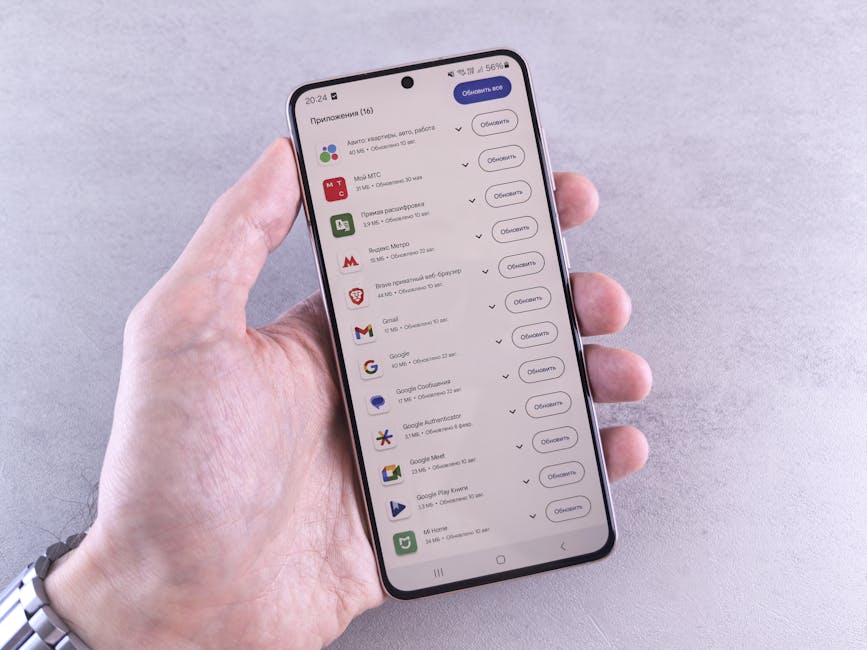
Unlike system-wide OS updates, individual app updates are usually managed directly by the app's developer through their respective app stores – the Google Play Store for Android or the Apple App Store for iOS. When an app developer releases a new version of their app, they upload it to the store.
Your phone periodically checks these app stores for new versions of the apps you have installed. You can often choose whether to download these updates manually or have your phone automatically update apps in the background, usually over Wi-Fi to save mobile data. This system allows for rapid iteration and improvements for individual apps without needing a full system overhaul.
The "Behind the Scenes" Magic: What Happens During an Update
When your phone notifies you about an update, there's a lot happening to ensure a smooth transition. First, the update package is downloaded to your device, often in the background while you're still using your phone. These packages can vary significantly in size, from small security patches to multi-gigabyte OS upgrades.
Once downloaded, the update undergoes a verification process to ensure its integrity and authenticity, preventing tampering or corrupted files. Then comes the installation phase, which often requires your phone to reboot. During this time, the new software files are written, and old ones are replaced or modified. Modern operating systems often use advanced techniques like A/B partitions, which allow the update to be installed on a separate, inactive partition while you continue using the device, minimizing downtime when you finally reboot.
Navigating Update Challenges: Tips for Users
While the process is largely automated, a few proactive steps can ensure your update experience is seamless. It's always a good idea to prepare your device before hitting that "install" button, especially for major OS upgrades.
Always ensure your phone has sufficient battery charge, ideally above 50%, or is connected to a power source. Connecting to a stable Wi-Fi network is also recommended to avoid data overage charges and ensure a faster, more reliable download. Backing up your important data to the cloud or a computer before a significant OS update is a smart move, just in case anything unforeseen happens, though this is rare with modern update mechanisms.
The Future of Smartphone Updates: Faster and Smarter
The way smartphone software handles updates is continually evolving, aiming for greater efficiency and transparency. Initiatives like Google's Project Mainline for Android are breaking down the OS into smaller, modular components. This allows for critical security and system updates to be delivered directly from Google via the Play Store, bypassing the slower manufacturer and carrier certification processes for some components.
As technology progresses, we can expect even more seamless, "invisible" updates that require less user intervention and minimize downtime. The goal is a future where our devices are always running the most secure and feature-rich software, without us having to constantly manage the update process ourselves, letting our supercomputers evolve effortlessly.