Mobile Notification Systems Explained
Unlocking Engagement: Mobile Notification Systems Explained
In our hyper-connected world, our phones are constantly buzzing, chirping, or vibrating. These little pings are more than just distractions; they are the result of sophisticated mobile notification systems working tirelessly behind the scenes. These systems are crucial for keeping us updated, engaged, and connected to the apps and services we rely on daily. Understanding how they operate and their various forms can significantly enhance your digital experience, whether you're a user or an app developer.From social media updates to breaking news alerts and calendar reminders, mobile notifications have become an indispensable part of our digital lives. They act as a direct communication channel, bridging the gap between an application and its user. Without them, many apps would struggle to retain attention and deliver timely value, making their underlying mechanisms fascinating to explore.
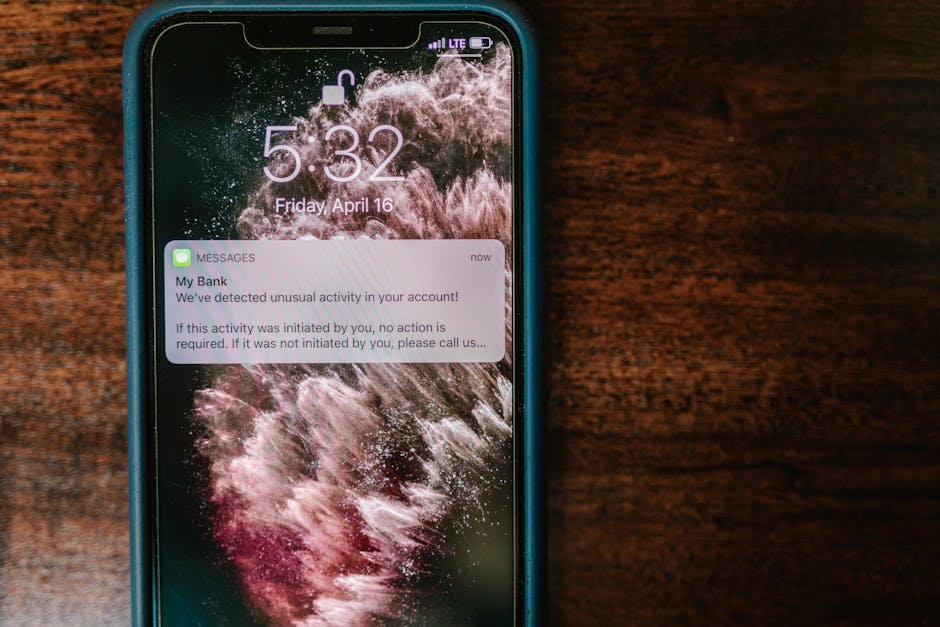
What Exactly Are Mobile Notification Systems?
At their core, mobile notification systems are the infrastructure that allows applications and operating systems to send timely alerts, messages, and updates to a user's device. These alerts appear on your screen even when an app isn't actively open, drawing your attention to new information or actions. They serve as a critical component of modern user experience, driving re-engagement and delivering instant value.
Unlike simple messages within an app, notifications are designed to break through the digital noise and grab your attention. They can manifest in various ways, including banners at the top of your screen, badges on app icons, sounds, or vibrations. This versatility allows them to adapt to different levels of urgency and importance, ensuring critical information isn't missed.
The Different Flavors of Mobile Notifications
Not all notifications are created equal. Mobile platforms utilize several distinct types of alerts, each designed for specific purposes and user interactions. Understanding these categories helps both developers and users appreciate the nuances of mobile communication.
The most common type is the push notification, which originates from an app's server and is sent to your device via a platform-specific service (like Apple Push Notification Service or Firebase Cloud Messaging). These are external to the app itself, appearing even when the app is closed, and are perfect for time-sensitive updates or reminders. They are a powerful tool for driving user re-engagement and delivering critical information instantly.
Then there are in-app notifications, which only appear when you are actively using an application. These might be banners, pop-ups, or subtle alerts within the app's interface, often used for guiding users, confirming actions, or highlighting new features. Finally, local notifications are scheduled and triggered directly by the device itself, without needing an internet connection or server interaction, ideal for reminders set within the app like alarm clocks or recurring tasks.
How These Systems Actually Work (Behind the Scenes)
The magic of mobile notifications might seem instantaneous, but there's a sophisticated architecture making it happen. When an app developer wants to send you a push notification, their app server doesn't send it directly to your phone. Instead, it sends the notification payload to a dedicated notification service provided by the device's operating system, such as Apple's APNs for iOS or Google's FCM for Android.
These services then take responsibility for securely delivering the notification to the specific device. Each device has a unique "device token" that identifies it to the notification service, ensuring the message reaches the correct recipient. This indirect approach is essential for battery optimization, security, and consistent delivery across millions of devices, allowing for efficient and reliable communication.
Why Notifications Are More Than Just Pings
Beyond simply delivering information, mobile notifications play a pivotal role in shaping user behavior and app success. They are a primary driver of app re-engagement, gently reminding users to return to an application they might otherwise forget. This consistent interaction builds habit and strengthens the user's connection to the app.
Notifications are also crucial for delivering immediate value, such as transaction confirmations, breaking news, or critical security alerts. By providing timely and relevant information, they enhance the user experience and can even foster a sense of reliance on the app. Effective notification strategies can significantly impact user retention and overall app loyalty, making them a powerful tool in any app's arsenal.
Navigating the Notification Maze: User Control is Key
While notifications are incredibly useful, an onslaught of irrelevant or poorly timed alerts can quickly become annoying. This is why modern mobile notification systems place significant emphasis on user control. Users have the power to customize their notification experience, deciding which apps can send alerts, how they appear, and even when they are delivered.
Platforms offer granular settings that allow users to disable notifications entirely for certain apps, choose silent delivery, or prioritize alerts from essential services. Features like "Do Not Disturb" modes and notification channels (on Android) empower users to fine-tune their digital experience. This respect for user preference is vital for preventing notification fatigue and maintaining a positive relationship between users and their apps.
Best Practices for Effective Notification Strategies
For app developers, mastering the art of notifications is crucial for user engagement without causing frustration. Thoughtful strategies ensure that alerts are perceived as helpful rather than intrusive. Here are some key best practices:
- Personalization: Tailor content based on user behavior and preferences.
- Timeliness: Send notifications when they are most relevant and useful to the user.
- Relevance: Ensure every notification provides genuine value or informs the user of something important.
- Clear Call to Action: Make it obvious what the user should do next, if anything.
- A/B Testing: Experiment with different notification messages, times, and frequencies to optimize engagement.
- Respect Opt-Outs: Provide easy ways for users to manage their notification preferences and honor their choices immediately.
By adhering to these principles, developers can transform notifications from mere interruptions into valuable touchpoints that enhance the user journey. The goal is always to provide value and convenience, not just to demand attention, fostering a healthy and productive relationship with the user base.