How Anti Aliasing Improves Visual Fidelity In Pc Games
Ever noticed those annoying jagged edges on the buildings or characters while playing your favorite PC title? That is called aliasing, a common visual artifact that can instantly break your immersion, but understanding how anti-aliasing improves visual fidelity in PC games helps you fix it. It is essentially the secret sauce that transforms a blocky, pixelated mess into a smooth, cinematic experience. Let's break down why this setting is a must-have for any gamer chasing the best possible image quality.
Modern games strive for photorealism, but our screens are essentially grids of fixed pixels. When a line in the game does not align perfectly with that grid, the system must force it to fit, resulting in the staircase-like edges that we refer to as jaggies.
Why Do Games Sometimes Look Like Minecraft?
Computers render graphics on a grid of square pixels, which makes it incredibly difficult to draw perfectly diagonal or curved lines. When a line does not align perfectly with that grid, the system has to decide which pixels to color in, leading to the infamous staircase effect known as aliasing.
This issue is especially noticeable at lower resolutions or on high-contrast edges where a dark object meets a bright background. Without correction, these jagged lines flicker and crawl when you move your character, turning a beautiful game world into an eyesore that distracts you from the action.
How Anti-Aliasing Improves Visual Fidelity in PC Games
Anti-aliasing is the digital equivalent of smoothing out rough edges with sandpaper, working behind the scenes to clean up the image before it hits your monitor. It functions by sampling surrounding pixels and calculating the average color to fill in the gaps between those jagged lines that occur during standard rendering.
This technique is not just about making lines look straight; it is about tricking our eyes into perceiving a much higher level of detail. By subtly blending colors along high-contrast boundaries, it minimizes the harsh transition that our brain naturally identifies as artificial.
Without this crucial processing step, even the highest resolution displays can suffer from distracting artifacts. It is essentially the secret ingredient that transforms a blocky, pixelated mess into a smooth, cinematic experience, and it is a must-have for anyone chasing true visual fidelity.
Choosing the Right Smoothing Technique
Not all methods are created equal, and some are more demanding on your hardware than others. You will often see several options in your settings menu, each with a different approach to solving the aliasing problem:
- MSAA (Multi-Sample Anti-Aliasing): A classic, high-quality approach that renders parts of the image at higher resolutions for superior sharpness.
- FXAA (Fast Approximate Anti-Aliasing): A lightweight post-processing filter that blurs the entire image to hide jaggies, which is great for weaker PCs.
- TAA (Temporal Anti-Aliasing): The modern standard that uses data from previous frames to create a stable, flicker-free image, though it can sometimes look a bit soft.
Deciding which one to use often depends on your GPU's capabilities and your personal preference for sharpness versus stability. Experimenting with these settings can make a massive difference in how your games look in motion.
The Balance Between Performance and Visual Quality
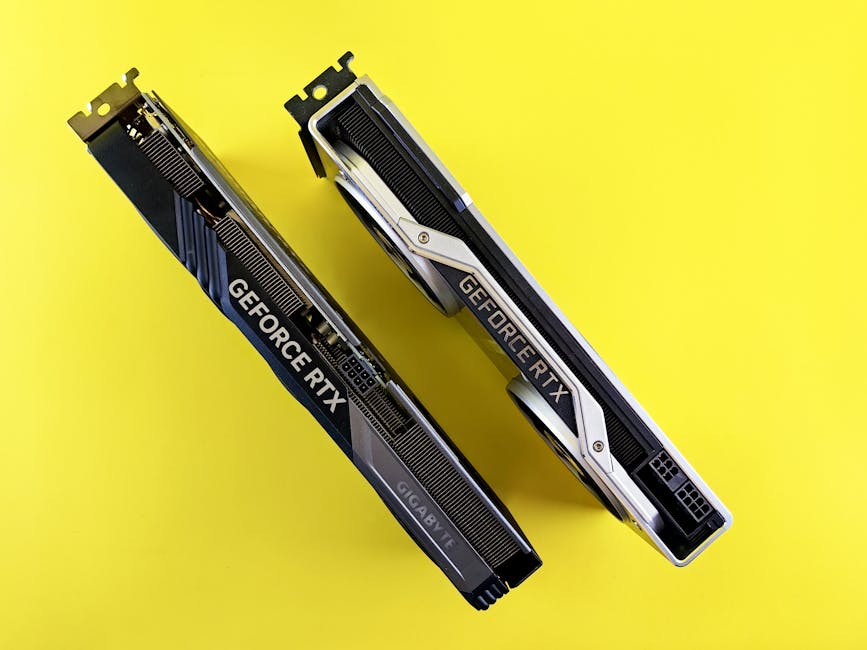
The biggest challenge when enabling these settings is the potential cost to your frame rate. Because the GPU has to perform complex calculations for every single frame to smooth out those edges, demanding anti-aliasing methods can significantly decrease performance on older or mid-range systems.
The computational load depends heavily on which technique you choose, with older, sampling-based methods often being much more expensive than modern post-processing approaches. This means you have to carefully consider your hardware capabilities when configuring your graphics menu.
If you find your frame rate dipping below your desired target, you might need to compromise by opting for a less intensive method like FXAA or TAA. It is all about finding that sweet spot where your game looks clean without causing noticeable stuttering or input lag during fast-paced action.
Why Smooth Edges Matter for Immersion
Visual fidelity is not just about raw resolution or realistic textures, but also about the consistency of the image. When edges are jagged, our brains constantly notice the artificial nature of the graphics, which pulls us out of the experience.
When you finally enable effective anti-aliasing, you will notice that the game world feels more grounded and realistic. Characters blend into the environment more naturally, and distant objects stop flickering, allowing you to focus entirely on the gameplay rather than the technical limitations of your monitor.
Getting the Best Results for Your Setup
If you are rocking a high-end graphics card, you can often push settings higher to enjoy maximum clarity. Conversely, if you are playing on older hardware, you will want to focus on efficiency to maintain a playable frame rate.
Here are a few quick tips to help you optimize:
- Start with TAA if available, as it offers the best balance for most modern games.
- If the image looks too blurry, try increasing your internal render resolution rather than just cranking up the anti-aliasing.
- Always test performance in a busy area of the game with lots of movement to see how the setting holds up under pressure.
Ultimately, the best configuration is the one that gives you a crisp, stable image that does not sacrifice the smoothness you need to play effectively. Spend some time adjusting these settings to match your specific hardware, and you will notice a huge improvement in your gaming sessions.