Impact Of 120Hz Displays On Mobile Gameplay
Understanding Refresh Rates in Modern Gaming
Most people are familiar with the basic concept of display refresh rates, even if they do not follow technical specifications closely. A standard screen refreshes its image 60 times every second, which is denoted as 60Hz. When you upgrade to a screen that supports 120Hz, you are effectively doubling the number of frames generated every second, leading to a much smoother visual experience.
This shift from 60Hz to 120Hz represents a major evolution in how mobile devices handle graphics. For casual users, the difference might just look like smoother scrolling through social media feeds. For those who play games, however, this change is significant enough to alter how they interact with their favorite titles.
Understanding these numbers is important because it dictates the potential fluidity of your device. A high refresh rate display can only show as many frames as the device's processor can output. If your phone cannot maintain a consistent 120 frames per second, you may not get the full benefit of that upgraded hardware.
The Tangible Impact of 120Hz Displays on Mobile Gameplay
When you start playing on a device equipped with a high-refresh-rate screen, the impact of 120Hz displays on mobile gameplay becomes immediately apparent. Movement feels more natural and lifelike, moving away from the slightly stuttery or disjointed look that sometimes occurs at 60Hz. This increased frame density helps bridge the gap between digital interaction and real-world perception.
Many users report that their devices feel significantly more responsive as soon as they switch to a 120Hz mode. Because the screen updates twice as often, it can reflect your touch inputs and game engine changes with less delay. While the actual input latency from your finger to the screen is a separate technical factor, the visual feedback happens much faster, creating a seamless connection between your actions and the game's response.
This improvement in visual consistency allows you to focus more on strategy and less on the limitations of the screen. You spend less time adjusting to visual artifacts and more time immersed in the game world. This sense of fluidity can transform even slower-paced games into more enjoyable experiences, making everything feel polished and modern.

Smoother Visuals and Reduced Motion Blur
Motion blur has long been a challenge for mobile gaming enthusiasts, often making fast-moving action look muddy or unclear. At lower refresh rates, the eye has a harder time tracking fast-moving objects because the screen updates too infrequently. By doubling the refresh rate, the distance an object travels between each frame is cut in half, which drastically reduces perceived blur.
This clarity is particularly noticeable in action-heavy games where you need to track enemies or objects moving quickly across the display. Whether you are racing cars at high speeds or navigating through a chaotic battlefield, the image remains much sharper. You are better able to follow the action, which reduces eye strain during long gaming sessions.
The reduction of motion blur essentially gives you a clearer window into the game's world. This clarity is not just about aesthetics; it is a functional improvement that allows you to react faster because you can actually see what is happening. Once you experience this level of visual fidelity, returning to a standard 60Hz display can feel jarring and blurry by comparison.
Why Competitive Gamers Prefer High Refresh Rates
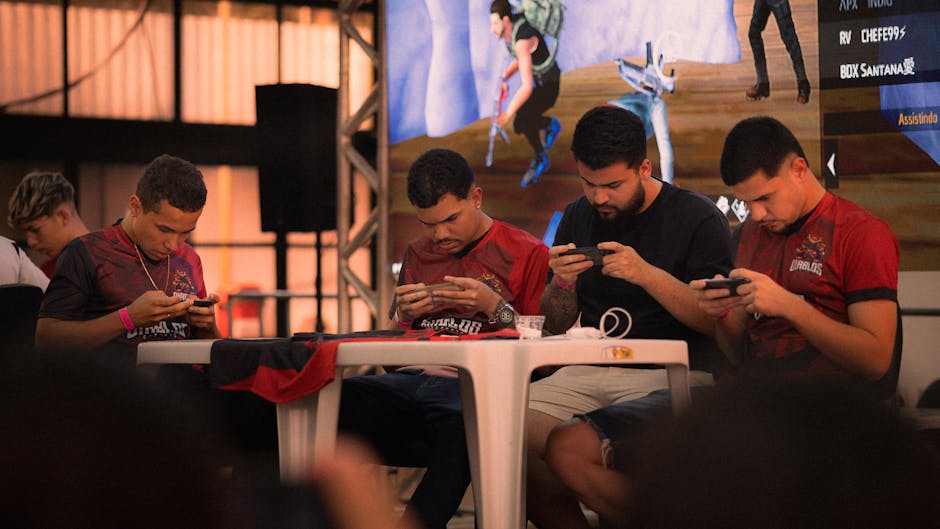
In competitive mobile gaming, every millisecond counts, and players are constantly looking for any advantage they can find. A 120Hz display provides a distinct edge by offering more frequent visual updates, which helps players track targets with much higher precision. If you are playing a first-person shooter or a fast-paced battle royale, this extra information is crucial for landing accurate shots.
Beyond tracking, high refresh rates help players identify movement sooner, giving them a slight head start on their opponents. When an enemy pops out from behind cover, a 120Hz screen displays that movement earlier than a 60Hz screen would. This small window of extra time can be the difference between winning and losing in a high-stakes encounter.
For fighting games, where frame-perfect inputs and reactions are required, 120Hz is even more valuable. The reduced time between frames ensures that your eyes see the incoming attack as soon as possible. This responsiveness allows for better defensive play and more consistent counter-attacks, which are essential for climbing the competitive leaderboards.

Balancing High Refresh Rates and Battery Life
While the benefits are clear, it is important to acknowledge that 120Hz displays require more power to operate. Driving the screen at a higher refresh rate forces the GPU to render more frames, which in turn consumes significantly more battery life. For many users, this is the primary trade-off that needs to be considered when using their devices for extended periods.
Fortunately, many modern smartphones include adaptive refresh rate technology to manage this drain. These screens can automatically lower the refresh rate when you are reading text or looking at static images and ramp it up only when you are actively playing a game or scrolling. This helps strike a balance between performance and battery longevity without needing constant manual intervention.
If you find that your battery is dying too quickly, you may need to adjust your settings for different games. Some titles might not benefit much from 120Hz, while others depend on it for the best experience. Being mindful of these settings allows you to conserve power when it is needed while still enjoying high performance when you are ready to play.
Essential Considerations for 120Hz Gaming
Not all games are created equal, and not every title will take advantage of a high-refresh-rate screen. Before upgrading your hardware specifically for 120Hz gaming, you should consider a few key factors to ensure you actually see the performance gains you expect. These elements can significantly change the experience regardless of the screen on your phone.
- Game support: Ensure your favorite games actually support frame rates higher than 60FPS.
- Processor capability: Your phone's GPU must be strong enough to consistently render 120 frames per second.
- Screen settings: Check your system display settings to ensure 120Hz mode is actually enabled for your games.
If a game is locked to 60FPS, it will not look any smoother on a 120Hz screen than it does on a standard display. Always check the graphics options inside your game to see if there is an "Ultra" or "High Frame Rate" mode. Without enabling these settings, you may be wasting battery on a high-refresh-rate display without getting any of the intended benefits.
Evaluating the Need for 120Hz Displays
Deciding if you need a high-refresh-rate screen comes down to your personal habits and the types of games you play most frequently. If you mostly play slow, turn-based games or strategy titles, a 120Hz display might offer diminishing returns. These games often do not rely on fast motion, so the extra frames provide less tangible improvement.
However, if your mobile gaming library is full of fast-paced shooters, racing games, or competitive titles, the upgrade is almost certainly worth it. The difference in responsiveness and visual clarity can completely redefine your gaming experience on mobile devices. It is one of those upgrades that feels subtle at first but becomes difficult to live without once you get used to it.
Before purchasing your next smartphone, take the time to test out a 120Hz display in person if you can. While written descriptions help, nothing replaces seeing the fluidity firsthand and understanding how it feels under your fingers. Ultimately, this technology is a major step forward, making mobile gaming feel more like a dedicated console experience than ever before.