How Smartphone Operating Systems Manage Interface Elements
Unpacking the Magic: How Smartphone Operating Systems Manage Interface Elements
Ever wonder what makes your phone so incredibly intuitive? Every tap, swipe, and scroll feels seamless, but beneath that smooth surface lies a complex symphony orchestrated by your smartphone's operating system. From the moment you unlock your device to navigating through apps, it's the core job of smartphone operating systems manage interface elements to create the rich, interactive experience we've come to expect. This isn't just about showing pretty pictures; it's about a sophisticated system that renders, responds, and adapts, all in real-time.
Whether you're an Android devotee or an iOS loyalist, the underlying principles of how these systems handle what you see and touch are surprisingly similar, yet distinct in their implementation. They are the invisible hand guiding every pixel and processing every touch, ensuring that what you intend to do with your phone actually happens, and looks good doing it.
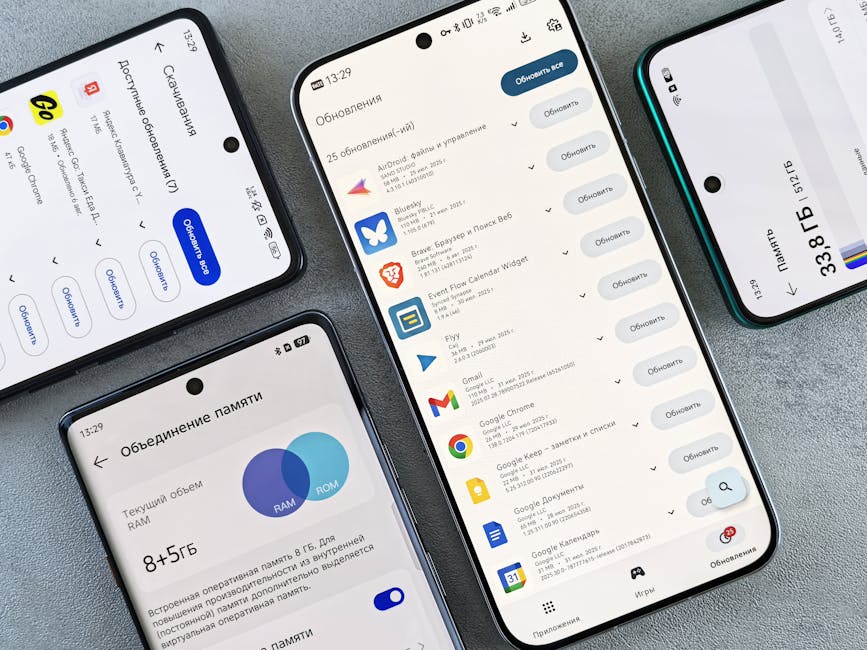
Behind the Tap: What Are Interface Elements?
Before we dive into the "how," let's clarify the "what." Interface elements are the visual and interactive building blocks that make up any application or system on your phone. Think of them as the stage props and controls of your digital world.
These elements are more than just static images; they are dynamic components designed to communicate information and respond to your input. The operating system's prowess in managing these is what separates a clunky experience from a delightful one.
- Buttons and Toggles: For initiating actions or switching states.
- Text Fields: Where you type messages, search queries, or login credentials.
- Sliders and Progress Bars: To adjust settings or show ongoing processes.
- Icons and Images: Visual representations for apps, files, or information.
- Navigation Bars and Tabs: For moving between different sections of an app.
The Foundation: UI Frameworks and Toolkits
At the heart of how smartphone operating systems manage interface elements are powerful UI frameworks. Apple's iOS leverages UIKit (and increasingly SwiftUI), while Android offers its own robust toolkit, evolving from traditional Views to modern Jetpack Compose. These aren't just libraries; they are comprehensive rulebooks and component sets.
These frameworks provide developers with pre-built, optimized components and the architectural guidelines needed to assemble them into functional apps. They handle the fundamental aspects of drawing, layout, and interaction, abstracting away much of the low-level complexity for app creators.
By providing these standardized tools, the operating system ensures that developers don't have to reinvent the wheel for every button or text field. This efficiency not only speeds up app development but also promotes a consistent user experience across different applications.

Rendering Magic: Bringing Pixels to Life
Once an app tells the operating system what elements it wants to display, the real rendering magic begins. The OS is responsible for taking these abstract descriptions and transforming them into actual pixels on your screen. This involves a complex dance between the software and your device's graphics processing unit (GPU).
Each frame you see on your screen is meticulously drawn, layer by layer, tens or even hundreds of times per second. The operating system handles the precise positioning, coloring, and animation of every single element, ensuring that transitions are smooth and responsive, not choppy or delayed.
This rendering pipeline is heavily optimized to conserve battery life and maintain performance. The OS intelligently decides which parts of the screen need to be redrawn, avoiding unnecessary work and making sure your phone feels snappy, even with multiple apps running.
How Smartphone Operating Systems Manage Interface Elements for Interaction
The visual aspect is just one part of the equation; responding to user input is where the interface truly comes alive. Smartphone operating systems manage interface elements not just by displaying them, but by orchestrating how they react to your touch, gestures, and even voice commands.
When you touch your screen, the operating system's input subsystem springs into action. It detects the precise location of your touch, determines which UI element is under your finger, and then dispatches the appropriate event to the relevant app. This includes everything from a simple tap to a complex multi-touch pinch or a long press.
Beyond simple taps, modern OSes are adept at recognizing a wide array of gestures. Swiping to navigate, pinching to zoom, or rotating to manipulate objects are all interpreted by the OS and translated into actions within the application, providing a rich and intuitive control scheme.
Ensuring Consistency and Adaptability Across Devices
Have you ever noticed how apps on your phone generally have a similar look and feel, even if they're from different developers? This consistency is largely due to the rigorous design guidelines enforced by the operating systems themselves. Apple's Human Interface Guidelines and Google's Material Design are prime examples.
These guidelines dictate how interface elements should look, behave, and interact, promoting a unified user experience across the ecosystem. The OS frameworks provide the building blocks that naturally align with these standards, making it easier for developers to create apps that feel "at home" on your device.
Furthermore, modern operating systems are incredibly adept at adapting interface elements to diverse screen sizes, resolutions, and orientations. Whether you're on a compact phone or a large tablet, or holding your device in portrait or landscape, the OS intelligently adjusts layouts and scales elements to maintain usability and aesthetics. This also extends to features like Dark Mode, dynamically altering the appearance of elements for different lighting conditions.
Performance Under the Hood: Keeping Things Snappy
A beautifully designed interface is useless if it's sluggish. This is why a critical responsibility of the smartphone operating system is continuous performance optimization. It's constantly working to ensure that interface elements respond instantly and animations play out smoothly, without lag.
The OS employs sophisticated techniques like efficient memory management, intelligent thread scheduling, and optimized drawing commands to keep everything running quickly. It prioritizes what's visible and interactive, offloading background tasks to ensure a fluid foreground experience.
Every millisecond counts when it comes to user perception. By meticulously managing the resources allocated to rendering and interaction, the operating system provides the seamless, responsive experience that makes our smartphones such indispensable tools.