The Importance Of Customizable Keybindings On Pc
Beyond the Default Setup
Most of us spend countless hours interacting with software or games using the exact configuration handed to us on day one. We rarely stop to consider that the default layout is rarely designed for our specific hand size, our unique workflow, or our personal habits. Discovering the power of customizable keybindings on PC can fundamentally change how you interact with your computer, turning a frustrating struggle into a seamless extension of your thoughts.
When you rely solely on factory settings, you are forcing your brain and hands to adapt to a generic standard. This approach often leads to unnecessary fatigue and reduced performance, as your fingers perform awkward gymnastics to reach critical functions. By taking control of your input methods, you reclaim your workspace and tailor your digital environment to your specific needs.
Boosting Productivity and Workflow
Efficiency relies on reducing the number of steps required to complete a task. When you map your most frequently used functions to easily accessible keys, you eliminate wasted time searching through menus or moving your hands across the entire keyboard. This small change in your setup can significantly accelerate your speed, especially in intensive applications like video editors, graphic design software, or complex spreadsheets.
Customizing your keys allows you to create a workflow that is entirely intuitive. You can group related commands together in a logical, ergonomic manner that makes sense to you, not just to the software developer. As you refine your setup, you will find that your interaction with these applications becomes faster and much more fluid.
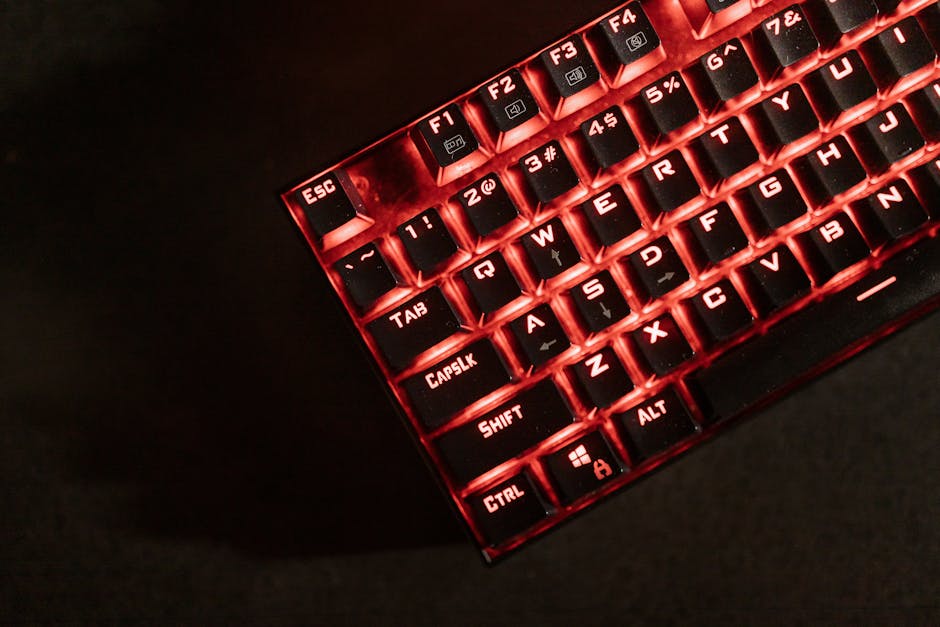
The True Value of Customizable Keybindings on PC
The importance of customizable keybindings on PC cannot be overstated, as they bridge the gap between human intent and machine execution. Rather than struggling to remember complex, multi-key shortcuts designed by someone else, you create a mapping that aligns with your mental model. This personal connection makes the computer feel less like a tool you are fighting against and more like a partner in your creative or professional tasks.
Beyond convenience, personalization fosters a sense of ownership over your digital tools. When your environment reflects your preferences, it encourages experimentation and optimization. You become more aware of how you work, which often leads to discovering even better ways to automate tasks or improve your efficiency further.
Improving Accessibility for Every User
Accessibility is a vital component of user interface design, and custom controls are essential for creating an inclusive digital landscape. For users with limited mobility, chronic pain, or specific ergonomic requirements, standard key placement can be a major barrier to using a computer effectively. The ability to rebind every command allows these individuals to adapt the hardware to their specific physical capabilities.
Software and games that prioritize flexible input options demonstrate a commitment to serving all users. Being able to shift commands away from difficult-to-reach keys can turn an impossible task into an easy one. This flexibility is not just a nice feature but a necessary requirement for many users to engage comfortably and successfully.
Developing Reliable Muscle Memory
Muscle memory is the secret behind expert performance in any activity, from typing and playing instruments to high-speed gaming. When you constantly change your software or switch between different default layouts, your brain struggles to establish a consistent pattern. By standardizing your most essential commands across different applications, you build a foundation of muscle memory that stays with you.
Consistency reduces the cognitive load required for basic navigation. When you do not have to think about which key performs which action, you can focus your mental energy on the actual task at hand. This shift toward intuitive, automatic input allows you to achieve a state of flow much faster, keeping your focus uninterrupted.
Leveraging Control for Competitive Gaming
In the world of competitive gaming, split-second decisions often determine the outcome of a match. Having keybindings that are perfectly optimized for your playstyle gives you a significant advantage over opponents who are still struggling with default controls. You can ensure that your most critical actions, like abilities, equipment swaps, or movement commands, are always available at your fingertips.
High-level players often create complex layouts that allow them to perform advanced maneuvers without moving their hands from their primary position. This speed and precision are difficult to achieve without deliberate customization. By honing your control scheme, you move beyond basic competence and unlock higher levels of precision and responsiveness.

Tips for Implementing Your Custom Layout
Transitioning to a new layout might feel daunting, but you can make the process smooth with a strategic approach. It is often better to change one or two keys at a time rather than overhaul your entire system at once. This gradual change gives your brain time to adjust without causing constant frustration or slowing your progress.
To successfully transition to a custom setup, consider these helpful strategies:
- Start small by changing only the most frequently used commands in one app.
- Use templates or copy setups from experienced users to get ideas for logical layouts.
- Practice consistently, even if you feel slower for the first few days while learning.
- Document your changes, especially if you use multiple computers, to keep your experience consistent.
Remember that the perfect layout is not static; it evolves alongside your skills and requirements. Do not be afraid to revisit your configuration and make adjustments as you discover better placements or adopt new workflows. Your keybindings are a dynamic tool that should always reflect how you currently work best.