Cloud Saving Systems For Cross Device Gaming
Imagine you finally reach the final level of your favorite RPG during your lunch break on your phone. You want to pick up exactly where you left off when you get home to your main console. This is the convenience made possible by cloud saving systems for cross device gaming.
These systems have completely transformed the way we approach our digital libraries. No longer tethered to a single piece of hardware, players can move freely between devices without fear of losing hard-earned milestones. It is all about giving the gamer total freedom.
The Evolution of Gaming Progress
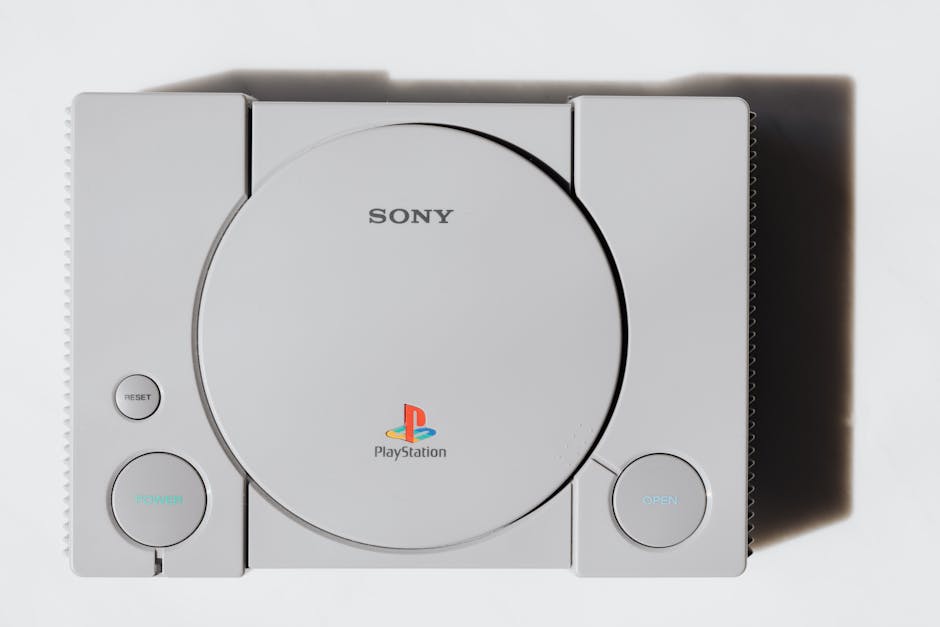
Decades ago, saving a game meant plugging a proprietary memory card into a console or hoping a floppy disk would not become corrupted. If that hardware was lost or broken, your progress simply vanished into thin air. You were effectively shackled to one specific machine for your entire gaming session.
The shift toward digital storage changed everything. Developers realized that connecting user profiles to server-based storage allowed for a much more flexible experience. Now, your progress is tied to your account identity rather than a fragile physical memory unit.
How Cloud Saving Systems for Cross Device Gaming Function
At its core, this technology acts as a bridge between your hardware and a remote server. When you play a game, your progress data is locally stored, but it is also simultaneously or periodically uploaded to a vendor’s server. Your unique user ID ensures that only your account has access to those specific save files.
Whenever you launch the same game on a different device, the client checks against the cloud server for newer save data. If it detects a more recent file, it downloads that information to your current device. This handshake process is what makes the experience feel instantaneous and effortless.

The Magic of Seamless Play
Many gamers appreciate the fluidity enabled by cloud saving systems for cross device gaming, as it transforms how we perceive our personal digital libraries. You can start a match on your desktop during a quiet evening, then continue that very same match on a portable handheld while traveling the next day. It eliminates the barriers that used to separate different gaming platforms.
This capability has expanded far beyond traditional consoles into the mobile realm. Many mobile titles now integrate deeply with PC and console ecosystems, allowing you to participate in global progress tracking across all your screens. You never have to worry about whether your progress will be there when you change devices.
Keeping Your Progress Safe
Beyond the convenience of swapping devices, these systems offer a crucial safety net against sudden hardware failure. If your laptop suddenly stops working or your console encounters a fatal error, your progress is not trapped inside the broken device. You can simply log in from a new machine and pick up right where you were.
This peace of mind is invaluable for long-term games where you might invest hundreds of hours. You are essentially creating a backup in real-time without having to manually manage file exports. It turns your game saves into durable, protected digital assets.
Navigating Potential Synchronization Conflicts
Even with robust infrastructure, technical hiccups can sometimes occur when syncing data across devices. A conflict usually arises if the server cannot determine which save file is the most recent, often caused by playing offline on two separate devices simultaneously. This can leave the system uncertain about which version to keep, sometimes prompting you to choose the correct file manually.
Addressing these issues promptly is vital to prevent permanent data loss. If you find yourself in a sync loop, clear your local cache, verify your network connection, and restart the game client. Most modern platforms have built-in resolution tools to help you identify and select the correct file based on the time it was last modified.
Optimizing Your Experience for Smoother Syncing
While these systems are generally reliable, understanding how to manage them can prevent frustrating conflicts or data rollbacks. Small adjustments to your habits can ensure your saves are always synchronized when you need them most. Following a few simple guidelines keeps your experience smooth and uninterrupted.
- Always ensure your device has a stable internet connection before closing the game, as an interrupted upload can cause a synchronization conflict.
- Take a moment to manually check the sync status in your game settings if you are switching devices quickly, especially after a long session.
- Use the same user account across all devices, as linking different accounts will prevent the cloud server from identifying your progress correctly.
- Avoid force-closing your game or powering off your device immediately after a major milestone to give the system time to finalize the data upload.

The Future of Instant Gaming Access
The technology behind saving our progress continues to evolve rapidly to meet the demands of faster, more interconnected experiences. We are moving toward a world where the boundary between hardware and software is increasingly invisible. Future updates will likely focus on reducing the time it takes to handshake with servers, making the sync process feel invisible to the end user.
As gaming platforms become more integrated, the potential for cross-platform play and progress sharing will only grow. This means fewer frustrations and more time actually playing. The industry is clearly committed to making our digital lives as portable and secure as possible.