Understanding The Basics Of Smartphone Camera Focus Modes
Mastering Clarity Through Smartphone Camera Focus Modes
We have all been there. You line up the perfect shot, tap your screen, and snap the photo, only to realize later that the most important part of the image is a blurry mess. This frustration often happens because we ignore the technology sitting right at our fingertips. Understanding the basics of smartphone camera focus modes is the single most effective way to take your photography from amateur snaps to professional-looking compositions.
Modern phones are essentially miniature computers designed specifically for image processing, yet most users rely entirely on the automatic settings. While the default behavior of your camera is impressive, it does not always know exactly what you want to highlight. By learning how to take control of these tools, you can ensure that your subject is always sharp, clear, and perfectly highlighted against its surroundings.
How Automatic Focus Works Behind the Scenes
The standard behavior for any camera app is a feature known as autofocus. Your phone uses sophisticated sensors and algorithms to detect contrast and depth within the frame. It rapidly shifts the lens elements inside the module until it finds the point where the image is sharpest.
Most modern devices utilize something called phase-detection autofocus. This technology allows the camera to measure how light strikes the sensor from different angles to determine distance almost instantly. When you move your phone or the subject shifts, the system recalibrates this focus in real time to maintain clarity.
While this process is incredibly fast, it is not infallible. If you are shooting in low-light environments, the camera may struggle to find enough contrast to lock onto the subject. This is when the camera hunts back and forth, often resulting in that dreaded soft, out-of-focus shot.

Navigating Various Smartphone Camera Focus Modes
To truly master your photography, you need to understand that the different smartphone camera focus modes are designed for specific scenarios. While the names might change slightly between manufacturers, the functional principles remain consistent across both iOS and Android platforms. Learning the distinction between these modes allows you to make split-second decisions before pressing the shutter button.
The primary mode you will use is continuous autofocus, which is the default for most photo and video shooting. This is excellent for general purposes because it tracks moving objects, making it ideal for candid shots of friends or pets. However, it can sometimes be too aggressive if you are trying to compose a static shot.
Another common setting is single-point focus or tap-to-focus. By tapping on a specific area of your screen, you are telling the camera software exactly where it should prioritize its processing power. This simple action overrides the camera’s initial decision and creates a localized focus point that remains locked until you change it.
Taking Control with Manual Focus Tools
Sometimes, the software is simply not smart enough to understand your creative intent. If you find yourself in a tricky lighting situation or shooting through glass, automatic systems may fail you completely. Many native camera apps, or third-party alternatives, offer a manual focus mode that gives you a slider to control the distance.
When you switch to manual focus, you are responsible for adjusting the lens distance yourself. By moving the slider on your screen, you can watch the image become sharp or soft in real time. This is a game-changer for artistic photography where you might want to deliberately blur the background to create a dreamy look.
Using this mode does require patience and practice. It is perfect for landscape photography where the subject is far away, or for product shots where you need razor-sharp clarity on a specific small object. Do not be afraid to experiment with these manual controls, as they offer the most artistic freedom.
Creating Depth with Portrait and Bokeh Modes
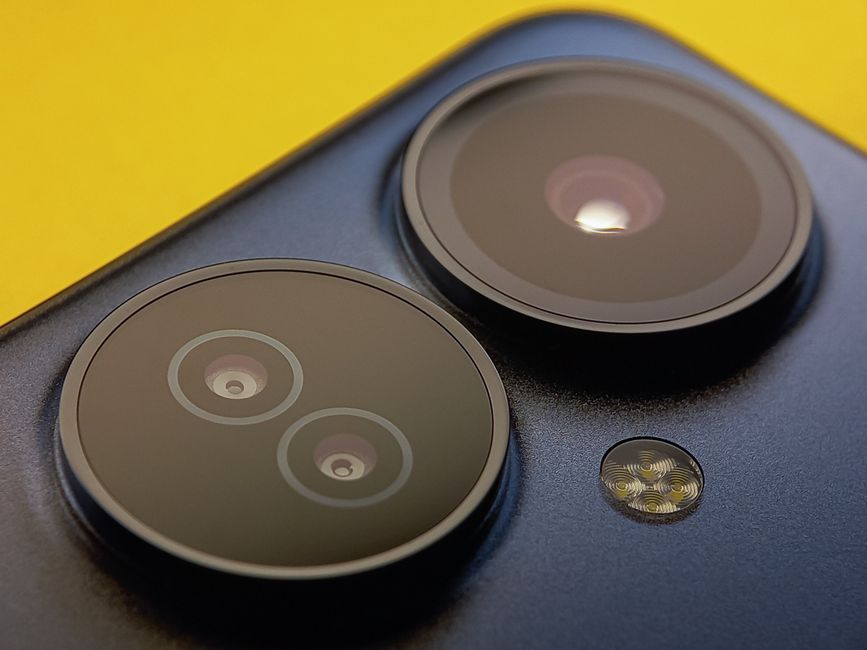
Portrait mode is arguably one of the most popular features on modern smartphones. It works by combining hardware data from multiple lenses with advanced software to simulate a shallow depth of field. This technique isolates your subject and creates a beautiful, soft blur in the background, which is known as bokeh.
The technology works by creating a depth map of the scene. The software identifies the person or object closest to the lens and separates it from the rest of the image. It then applies a Gaussian blur effect to the background, mimicking the look of an expensive DSLR lens with a wide aperture.
While this is primarily for people, it works wonders for inanimate objects, too. If you are capturing a coffee cup or a flower, using portrait mode can turn an ordinary shot into something that looks like it belongs in a magazine. Just be careful with the edges, as the software can sometimes get confused with intricate hair or complex backgrounds.
Capturing Details with Macro Focus Mode
Macro mode has become a staple for capturing extreme close-ups. This mode allows the camera to focus on subjects that are only a few centimeters away from the lens. Without this specialized mode, your phone would usually be unable to focus on anything so close, resulting in a blurry smear.
When you activate macro mode, the camera typically switches to an ultrawide lens that has a unique focus distance capability. This lens can magnify tiny details like the veins of a leaf, the texture of fabric, or the intricate components of jewelry. It opens up an entirely new world of creative opportunities that were previously hidden from your view.
The trick to mastering macro photography is stability. Because the focal plane is so incredibly thin when you are that close, even a tiny tremor in your hand will cause the image to go out of focus. Use both hands to hold your phone firmly, or even better, rest your arms on a solid surface.
Pro Tips for Getting Perfect Shots Every Time
Knowing how the different modes work is only half the battle. To consistently get sharp, high-quality images, you should develop a few reliable habits that streamline your photography workflow. Implementing these simple techniques will significantly improve your hit rate, ensuring that your most important moments are always captured in sharp detail.
- Always tap on your subject to set the focus point, even if the camera seems to have found it automatically.
- Ensure your lens is clean before shooting, as smudges will confuse the autofocus sensor and ruin clarity.
- Use focus lock by holding your finger down on the screen if you are shooting a subject that is moving unpredictably.
- Make sure you have adequate light, as autofocus algorithms perform much better when the sensor has more light to analyze.
- Avoid moving your phone immediately after tapping the shutter, as the camera still needs a split second to process the focus data.
By consciously applying these tips and understanding the nuances of your camera, you will stop relying on luck. You will start capturing images with intentional, pinpoint focus that truly reflect the quality of your vision. Happy shooting.