Smartphone Software Resource Management Explained
Unlocking Your Phone's Potential: Smartphone Software Resource Management Explained
Ever wonder why your phone, which was lightning-fast a year ago, now feels like it's trudging through mud? Or why your battery seems to vanish by midday? The answer often lies in smartphone software resource management. It's the unsung hero that dictates how smoothly your device runs, how long its battery lasts, and how efficiently it handles all your apps and tasks.
Essentially, this concept refers to how your phone's operating system (OS) and the apps you use handle the finite resources available on your device. Think of it as a busy conductor orchestrating an orchestra – each instrument (app) needs its share of attention and resources (CPU, RAM, battery, network) to play harmoniously without overpowering others or exhausting the conductor.
The Core Trio: CPU, RAM, and Storage
At the heart of every smartphone's performance are three fundamental resources: the Central Processing Unit (CPU), Random Access Memory (RAM), and Storage. Understanding their roles is key to grasping resource management.
The CPU is your phone's brain, responsible for executing all commands and computations. Every tap, swipe, and app launch puts it to work. If too many demanding tasks are vying for its attention simultaneously, your phone will inevitably slow down.
RAM, on the other hand, is like your phone's short-term memory or a busy workspace. It holds data for apps that are currently running or have recently been used, allowing for quick switching and responsiveness. When your RAM gets full, your phone has to constantly swap data in and out of slower storage, leading to frustrating lags.
Finally, Storage (your phone's hard drive) is where all your photos, videos, apps, and documents live permanently. While not directly impacting real-time speed as much as CPU or RAM, extremely low storage can still hinder performance by preventing the OS from efficiently managing temporary files or app updates.
Battery Life: The Ever-Present Challenge
Beyond speed, efficient resource management is paramount for battery longevity. Every action your phone takes, from displaying a vibrant screen to running complex apps in the background, consumes power.
Apps that are poorly optimized or constantly perform background tasks can be significant battery vampires. Location services, push notifications, and automatic syncing, while convenient, are constant drains on your phone's power supply if not managed judiciously.
Even your screen, the most power-hungry component, requires resource management. Keeping brightness levels lower and using dark modes on OLED screens can significantly extend your phone's uptime by reducing the workload on the display and the battery.

Network & Data: Invisible Resource Consumption
Staying connected is a core function of smartphones, but network activity also requires significant resources. Whether you're on Wi-Fi or mobile data, constant transmission and reception of information consume both battery and CPU cycles.
Apps frequently checking for updates, syncing data to the cloud, or even just displaying ads can constantly tap into your network. This background data usage can silently eat into your data plan while simultaneously draining your battery, even when you're not actively using the app.
The Silent Drainers: Background App Activity
One of the biggest culprits in inefficient smartphone software resource management is background app activity. Many apps, even when you're not actively using them, continue to run processes in the background.
This background activity can include fetching new emails, updating social media feeds, tracking your location, or even downloading large files. While some of this is necessary for a seamless user experience, excessive or unnecessary background tasks can significantly hog your CPU, consume RAM, and rapidly deplete your battery, often without you even realizing it.
The Operating System's Master Plan
Fortunately, your phone's operating system (whether it's Android or iOS) isn't just sitting back and watching. It's designed to be the primary manager of all these resources, constantly working behind the scenes to optimize performance and battery life.
The OS employs sophisticated algorithms to prioritize tasks, suspend inactive applications, and allocate CPU and RAM efficiently. Features like Android's Doze mode or iOS's Low Power Mode are built-in mechanisms that automatically restrict background activity and system processes when your phone is idle or running low on battery, providing an extra layer of resource optimization.
Your Power: Taking Control of Phone Performance
While the OS does a lot of heavy lifting, you're not a passive observer in this resource management game. You have significant power to influence your phone's performance and battery life through conscious choices and settings adjustments.
Understanding which apps consume the most resources and making informed decisions about their usage can dramatically improve your smartphone experience. A little proactive management can go a long way in keeping your device feeling new and responsive for longer.
Smart Strategies for a Snappier Phone
Ready to reclaim your phone's speed and battery life? Here are some actionable tips to optimize your smartphone's resource management:
- Monitor App Usage: Regularly check your phone's battery usage, data usage, and storage settings to identify resource-hungry apps. You might be surprised by what's consuming the most.
- Limit Background App Refresh: Restrict apps from constantly updating in the background. Most phones allow you to toggle this on an app-by-app basis.
- Disable Unnecessary Notifications: Constant pings and alerts from apps you rarely use can keep them active and draining resources. Turn off notifications for non-essential apps.
- Clear App Caches Regularly: Cached data helps apps load faster, but an excessive build-up can consume storage and sometimes even RAM. Clear caches periodically for apps you use often.
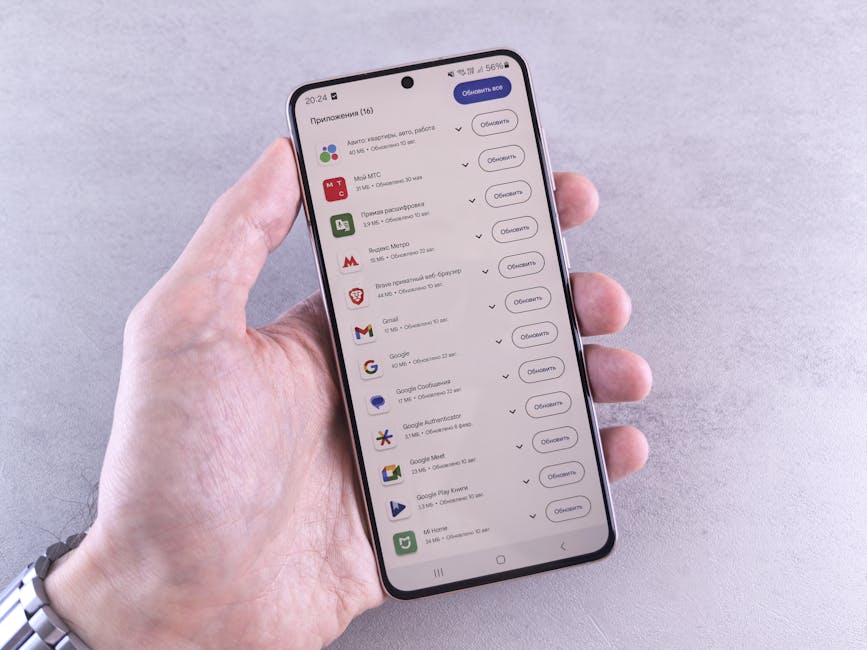
- Keep Your OS and Apps Updated: Developers often release updates that include performance improvements and better resource optimization.
- Consider "Lite" Versions: Many popular apps offer "Lite" versions (e.g., Facebook Lite, Messenger Lite) that are designed to use fewer resources, especially beneficial for older phones or limited data plans.
- Restart Your Phone Periodically: A simple restart can clear temporary files, reset processes, and give your phone a fresh start, often resolving minor performance glitches.
- Uninstall Unused Apps: If you haven't used an app in months, uninstall it. It frees up storage and eliminates any potential for background resource consumption.
By actively engaging in these practices, you can ensure that your smartphone's precious resources are allocated wisely. This thoughtful approach to smartphone software resource management not only extends your device's lifespan but also guarantees a smoother, more enjoyable mobile experience every single day.
Taking a few moments to manage your apps and settings can transform your phone from a sluggish battery drainer into a fast, reliable companion. It's about working smarter, not harder, with the technology you rely on daily.