How Control Systems Work In Video Games
The Mechanics of Input Processing
At the simplest level, a control system acts as a bridge between the player and the virtual environment. Every button press or stick movement is a signal sent to the game engine. The engine then interprets this data and converts it into specific actions like walking, shooting, or interacting with objects within the game world.
This process happens dozens, and sometimes hundreds, of times per second. If the system is efficient, it captures every nuance of the player's intent, creating a seamless experience. If it is poorly optimized, the game may miss inputs, feel sluggish, or ignore subtle variations in pressure, leading to player frustration.
Latency and the Feel of Responsiveness
Responsive gameplay depends heavily on minimizing input lag, which is the time elapsed between pressing a button and the action appearing on the screen. This is often referred to as "frame-to-action" time in development circles. Developers strive to keep this interval as low as possible to make the game feel tight and instantly responsive to user input.
Several technical factors influence this latency, including the refresh rate of the display, the frame rate of the game itself, and the complexity of the input processing logic. Even a few milliseconds of delay can significantly impact the player's experience, especially in fast-paced genres like fighting games, rhythm titles, or competitive shooters. Reducing this gap is one of the most critical aspects of polish for any action-oriented game.
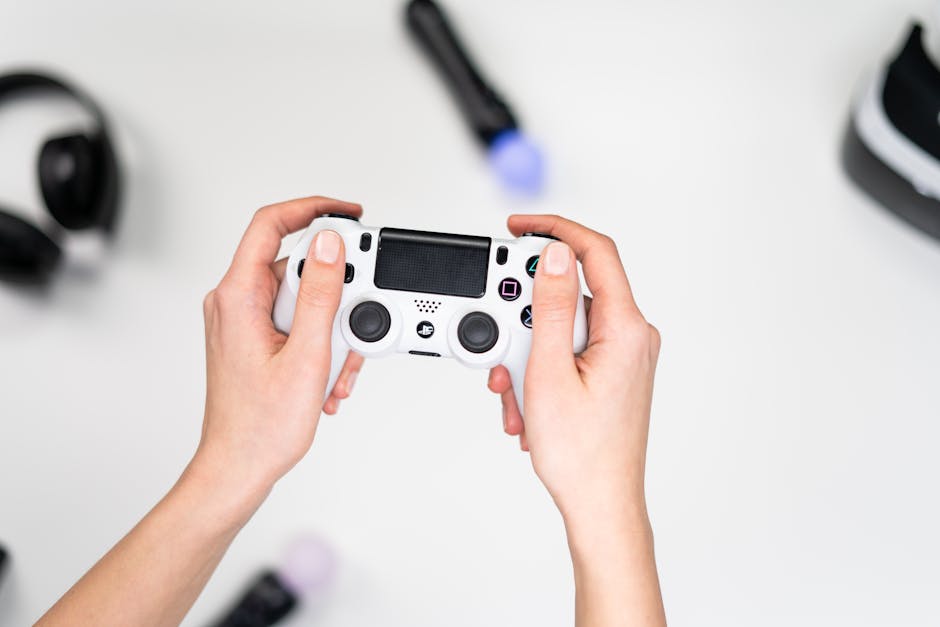
How Control Systems Work in Video Games
When exploring how control systems work in video games, it is helpful to think of them as complex state machines. A character is always in a particular "state"—standing, running, jumping, or falling—and the control system constantly listens for specific inputs to transition the character from one state to another.
A well-designed system ensures that these transitions feel natural rather than jarring. For example, if you press the jump button while running, the system knows to add forward momentum to the character's movement instead of just triggering a vertical jump from a standing position. Developers often use a variety of techniques to manage these inputs effectively, ensuring that the player's intentions are prioritized and executed smoothly.
Common techniques used to handle these inputs include:
- Input buffering, which records a button press slightly before it can be executed to ensure actions trigger as soon as the current animation allows.
- State prioritization, where more critical actions like dodging or blocking are given immediate precedence over secondary actions or idle animations.
- Variable jump height, which intelligently adjusts the jump arc based on how long the player holds the jump button.
The Crucial Role of Animation Blending
Input is only part of the equation; the visual representation of that input is what makes a game feel "real." Animation blending is the technology that bridges the gap between raw input and the smooth movement players expect. It allows the game to transition fluidly between different animations, such as moving from a walk to a run, or turning while sprinting.
Without sophisticated blending, a character would instantly snap from a standing pose to a full run, which would look robotic and jarring. Modern game engines use bone-based animation systems that allow for nuanced, layered movements, such as a character looking toward the camera while simultaneously running forward. This adds a layer of depth and polish that makes the character feel alive.

Input Mapping and Accessibility Options
Accessibility and player preference play a huge role in control design. Modern titles almost always offer extensive remapping options to allow players to tailor the button layout to their specific controller preferences or ergonomic needs. This flexibility is vital for ensuring that all players can enjoy the experience comfortably.
Behind the scenes, this requires a flexible abstraction layer between the physical controller and the game logic. Instead of hardcoding a jump action directly to the "A" button, the engine maps the "Jump" action to a generic "Action_Jump" identifier. This identifier is then assigned to the user's preferred input, making the system highly adaptable to different hardware and accessibility requirements.
Physics Engines and Movement Mechanics
Controls are rarely just about triggering canned, pre-animated sequences. In many modern games, movement is heavily driven by physics-based systems that calculate forces, friction, and momentum every frame to determine how the character moves through the 3D space. This creates a distinct sense of weight and physical presence that is essential for immersion.
When you tilt the joystick, you are essentially applying a directional force to the character's physics body. The control system then translates this force into velocity and acceleration, factoring in environmental elements like slope steepness or surface traction. This physics-first approach ensures that movement feels consistent and reactive, separating modern titles from the rigid, grid-based movement styles of the past.
Designing for Player Satisfaction
The secret to a great game often boils down to these behind-the-scenes systems working in perfect harmony. It is an intricate balance of technical precision and artistic feel, where the developers must obsess over how a character accelerates, stops, and interacts with the world. When this is executed correctly, the controller practically disappears, allowing the player to feel fully immersed and in complete control of their virtual experience.
Achieving this level of satisfaction requires constant iteration and playtesting. Developers must constantly refine the movement curves, response times, and camera behavior based on feedback. Ultimately, the best control systems are the ones you stop thinking about, because they feel like a natural extension of your own intentions.